Ren'Py 8.6 Can Upload Straight to Wavedash. Should Your Web Visual Novel Go There or Stay on itch.io?
November 9, 2026
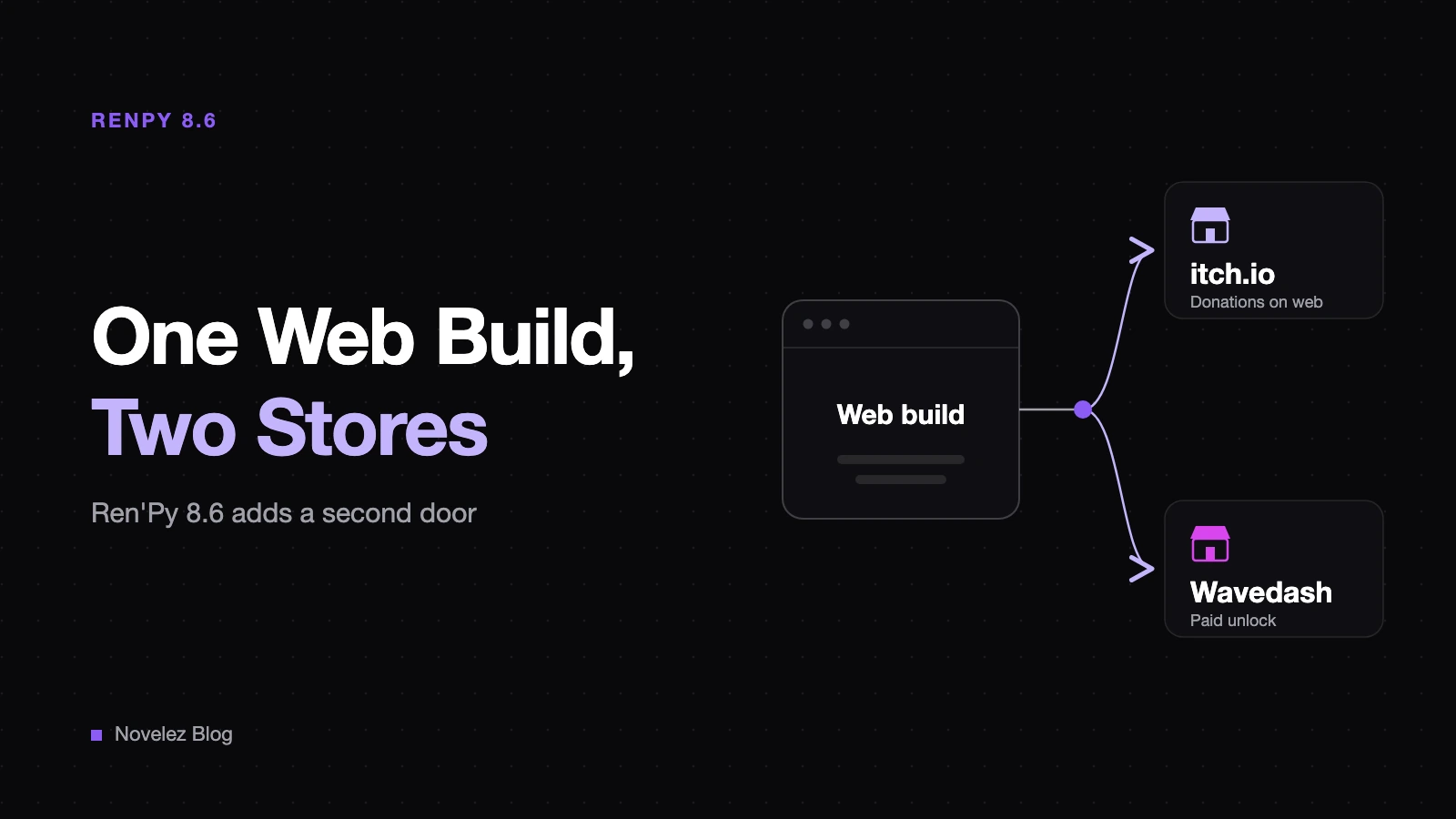
If you make visual novels in Ren'Py and want people to play them in a browser, itch.io has long been the default home for the web build. The Ren'Py 8.6 prerelease, last updated on November 1, adds a second option right inside the launcher: a button that uploads your web build to Wavedash, a storefront for games that run in the browser without an install.
Wavedash opened its public beta in December 2025, according to GamesBeat's report on its seed round. Below I keep what the Ren'Py changelog, the Wavedash docs and the itch.io docs actually say apart from my own reading for visual novels, which I label as such.
What does Ren'Py 8.6 actually add?
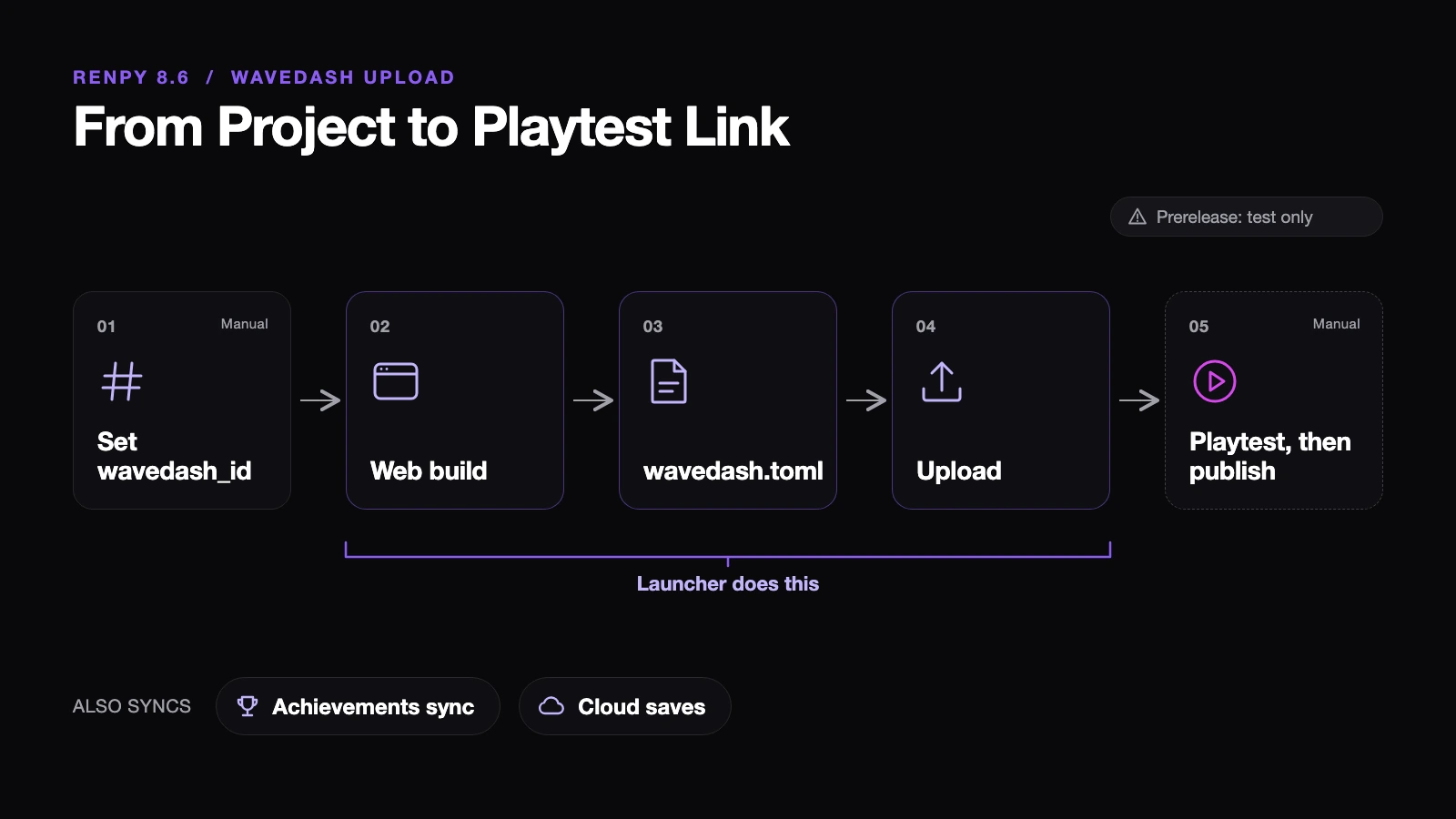
According to the Ren'Py 8.6.0 changelog, once you set build.wavedash_id, every web build also writes a wavedash.toml file for uploading. The launcher can then push that build to Wavedash for you. It downloads the Wavedash command line tool when needed, asks you to sign in through the browser, builds the web version first if it's missing, and rebuilds it if the game ID changed.
The Wavedash guide for Ren'Py fills in the rest:
- The integration ships only in Ren'Py 8.6. The 8.5.x releases don't have it.
- Calling
achievement.grant()also unlocks the matching Wavedash achievement. - Saves go to the cloud. On launch, Ren'Py waits up to 30 seconds to download the player's saves, and after every save it uploads the whole save folder as one file. The most recent upload wins.
- Uploading doesn't publish anything. You check the build through a playtest link, then publish it from the Developer Portal.
The catch is timing. The Ren'Py homepage still lists 8.5.3, released May 15, 2026, as the official version, and asks developers not to release games on the 8.6 prerelease until it becomes stable. Wavedash's own page points you to nightly builds and warns that the API may change before 8.6.0 ships. So right now this is something to try with a test build, not a reason to move a game you already sell.
How does each store pay you for a web build?
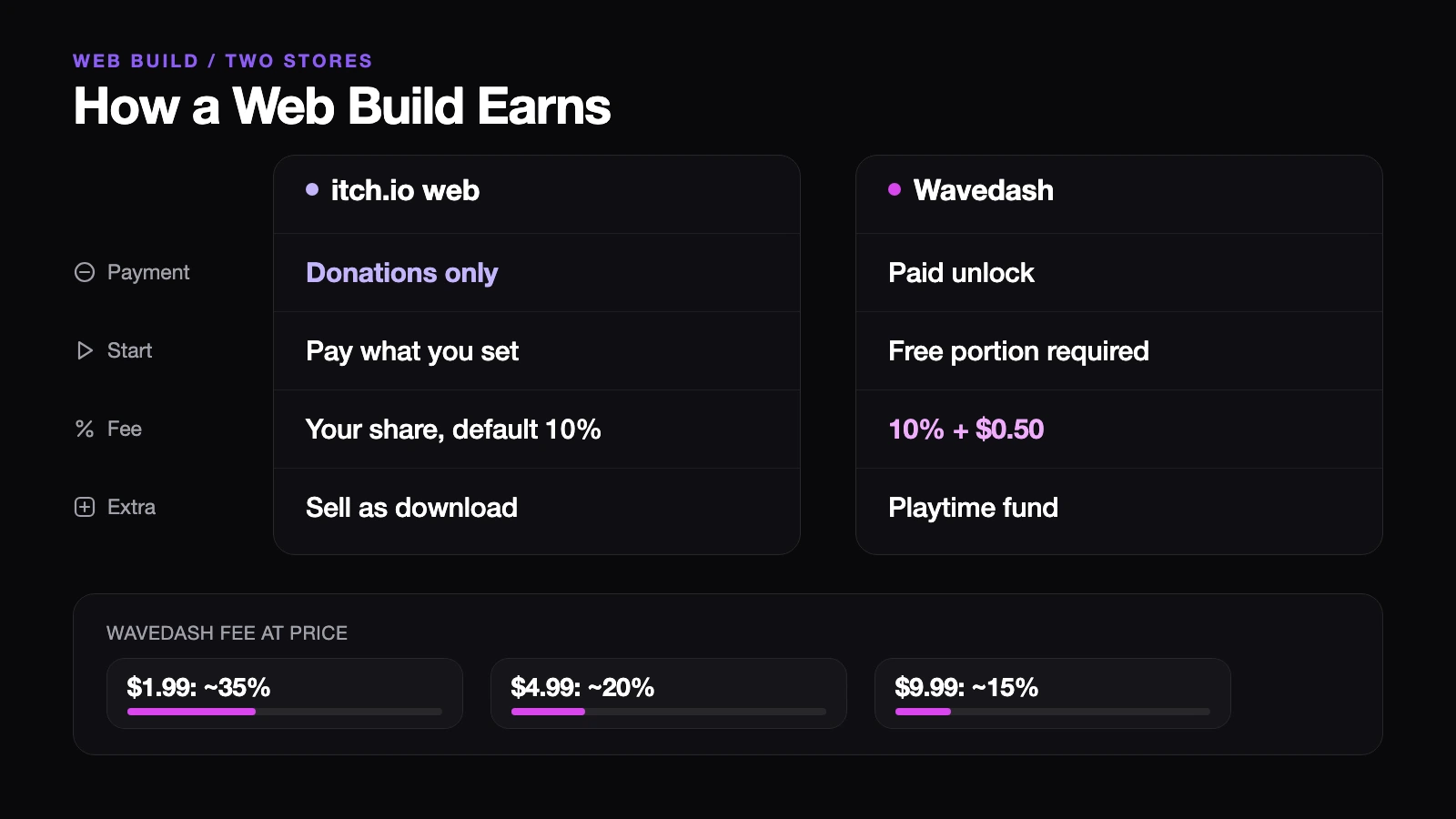
This is where the two differ most. itch.io's HTML5 upload guide says games played directly in the browser can currently take payments only as donations. If you want to sell access, you set the project's kind to downloadable. Sales use itch.io's open revenue sharing, where you choose the platform's cut anywhere from 0% to 100% (the default is 10%), and the payment processor takes its own fee, usually $0.30 plus 2.9%, according to the itch.io payments page.
Wavedash starts from the opposite end. Its monetization docs say every game launches free to play and must keep some portion free. You earn by selling Paid Content inside the game. A durable offer is bought once and unlocks files you've locked in your build, while a consumable can be bought again. Prices run from $0.99 to $99.99, and Wavedash takes 10% plus a flat $0.50 on each purchase and each donation. The developer landing page headlines the 10%; the flat fee sits in the docs.
That flat fee matters most at low prices. Using only the documented fee, a $1.99 unlock loses about $0.70, roughly 35%. At $4.99 the fee is about $1.00, or 20%, and at $9.99 it's about $1.50, closer to 15%. I haven't included taxes or currency conversion.
There's also the Creator Fund, a monthly pool split between enrolled games by their share of eligible playtime. Your own team's play doesn't count, and payouts go through Stripe Connect with a $20 minimum. Two details are worth knowing before you publish. The dialog for your first build has the opt-in switched on by default. And the docs say opting in can't be undone, while the FAQ on Wavedash's Creator Fund page describes what happens after you leave. I'd ask Wavedash which is current. I also couldn't find the size of the pool anywhere public, so there's no way to estimate that income in advance.
Where could a visual novel get stuck?
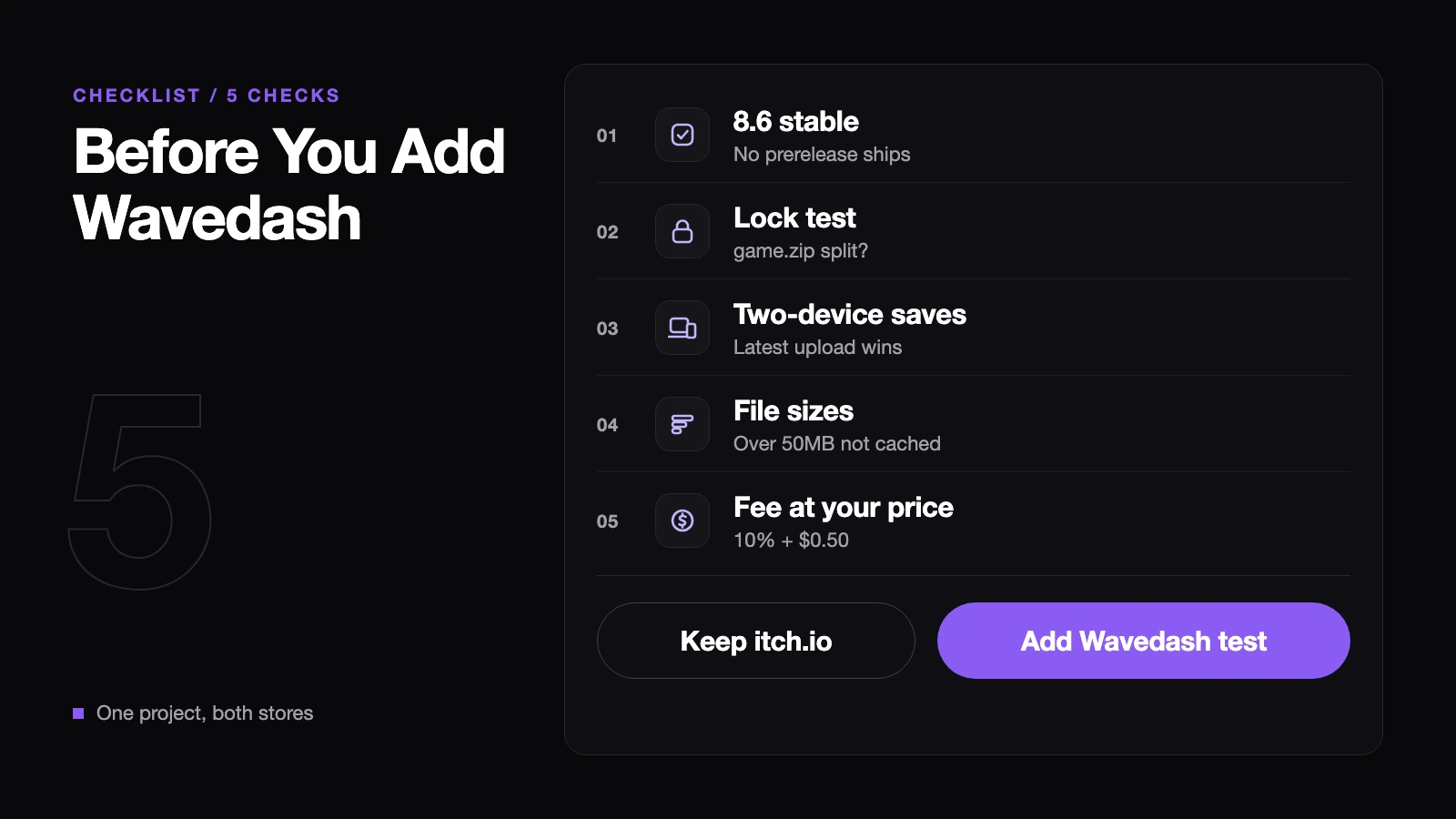
From here on it's my reading. A free opening followed by a paid remainder is a shape visual novels already know well, so the model itself isn't strange. The open question is technical. A Ren'Py web build packs the game's data into a single game.zip, and Wavedash durables lock files by matching path patterns. The Ren'Py guide doesn't explain how to split a Ren'Py game into free and locked files, so I wouldn't assume chapter-level locking works until you've seen it work in a test build.
Cloud saves address a real browser problem. Saves kept only in the browser can disappear when someone clears site data, or under Safari's seven-day limit on script-written storage. On Wavedash the save folder lives with the player's account instead. Still, "most recent upload wins" means an older device can overwrite newer progress if someone switches between a phone and a laptop. That's worth a deliberate two-device test before launch.
Then there's size. The Ren'Py web documentation notes that browsers won't cache files larger than 50MB, so a big file downloads again on every launch. Wavedash's Ren'Py page adds that Ren'Py web builds easily pass 50MB and suggests OGG audio and resized images. itch.io caps an HTML5 upload at 1,000 files, 500MB extracted and 200MB per file, while the Wavedash portal takes up to 1GB uncompressed, with the command line tool for anything larger. Some limits apply wherever you host: Ren'Py's web port doesn't support Live2D, network requests or threads, and only renpy.movie_cutscene() plays video.
So which one should your web build go to?
If you already run a playable opening on itch.io, leave it where it is for now. When 8.6 becomes stable, make a Wavedash test build from the same project, check saves and achievements through the playtest link, and only then decide whether to publish. Wavedash says the wavedash module functions do nothing on desktop builds or on web builds hosted elsewhere, so one project can feed both stores without much extra work.
If you don't have a web version yet and want browser players to try the opening and buy the rest without leaving the page, Wavedash is closer to that shape than itch.io's donation-only web pages. Run the locking test and do the flat-fee math at your real price first. And if downloadable sales are where your income comes from, itch.io and Steam remain the main stage. Wavedash is better seen as one more door that opens from a single link.
If you've released a Ren'Py visual novel for the browser, did people who played the web version ever go on to buy it? And if you're thinking about trying Wavedash, which part would you test first: the paid unlock, the cloud saves or the achievements?