A Tester Can't Play Your Novelez Share Link. Where Should You Look First?
November 5, 2026
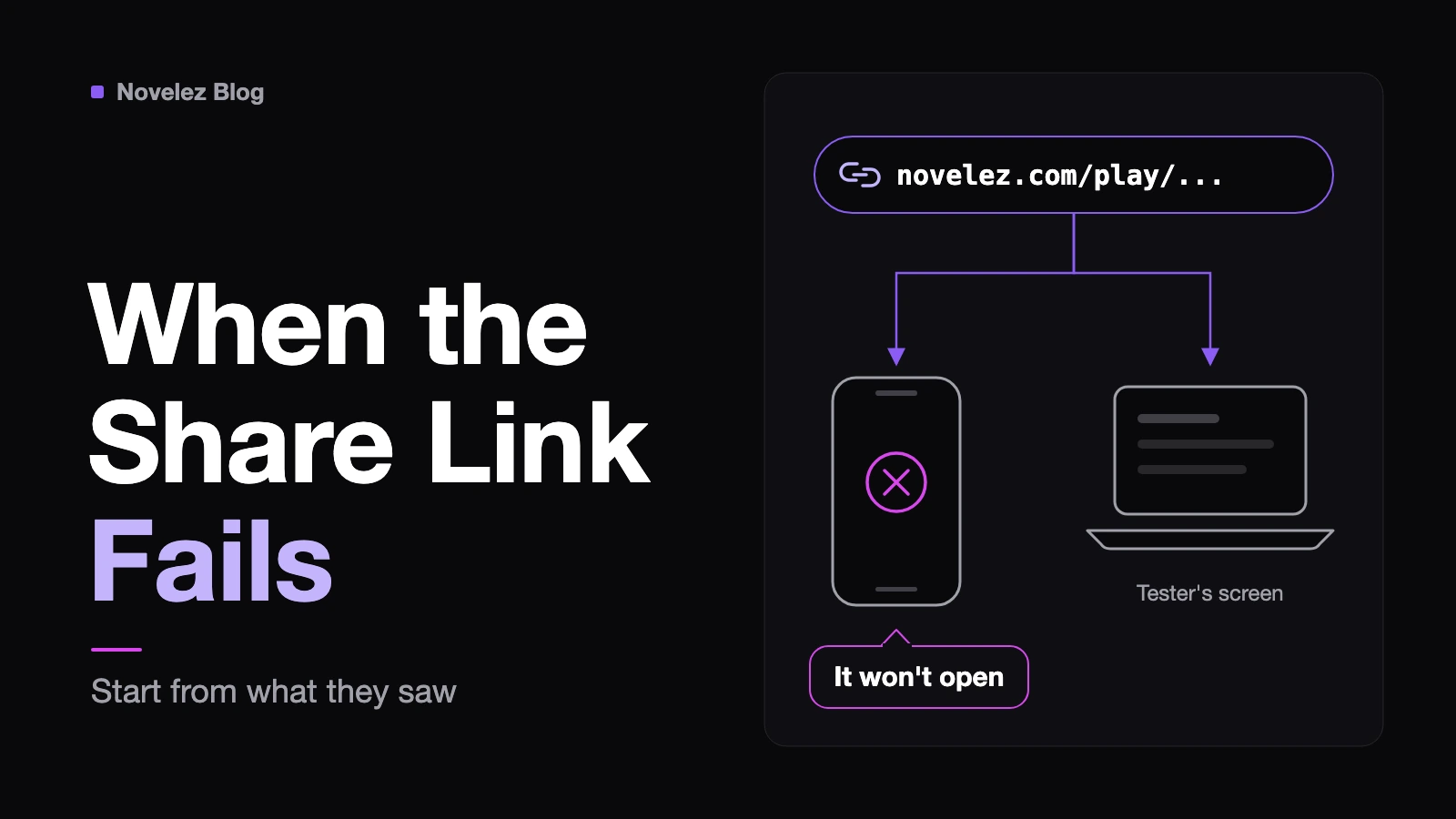
You finally send your Novelez share link to a friend, and a few minutes later the reply comes in: "It won't open." Or "It's just a black screen." Or, more confusing, "Wait, I thought you changed the ending?" Everything looked fine in the editor, so it's tempting to start clicking around at random.
Don't. A Novelez share link is a single address in the form novelez.com/play/ followed by the project ID, and it only ever does what the project behind it allows. Almost every report from a tester points to one of five places: whether the project is currently shared, whether it passes the share rules, what sits at the top of the script and in your assets, whether your latest edit has actually saved, and how heavy your files are. The quickest route is to start from exactly what the tester saw.
This guide follows the current Novelez documentation for share links, the publishing policy, common issues and support, plus a check of what a link shows when it no longer points to a shared project.
What exactly did the tester see?
Before you change anything, get a precise report. The Novelez support page lists what makes a problem reproducible, and the same list works with a tester: a sentence about what they did and what happened, the browser and device, where in the story it stopped, and a screenshot if possible.
That last part matters more than it sounds. "It doesn't work" can mean a private notice, a blank title screen or a story that starts in chapter three. Each needs a different fix, and as far as the documentation describes, you have no way to see the tester's screen from your side. Their report is your main evidence.
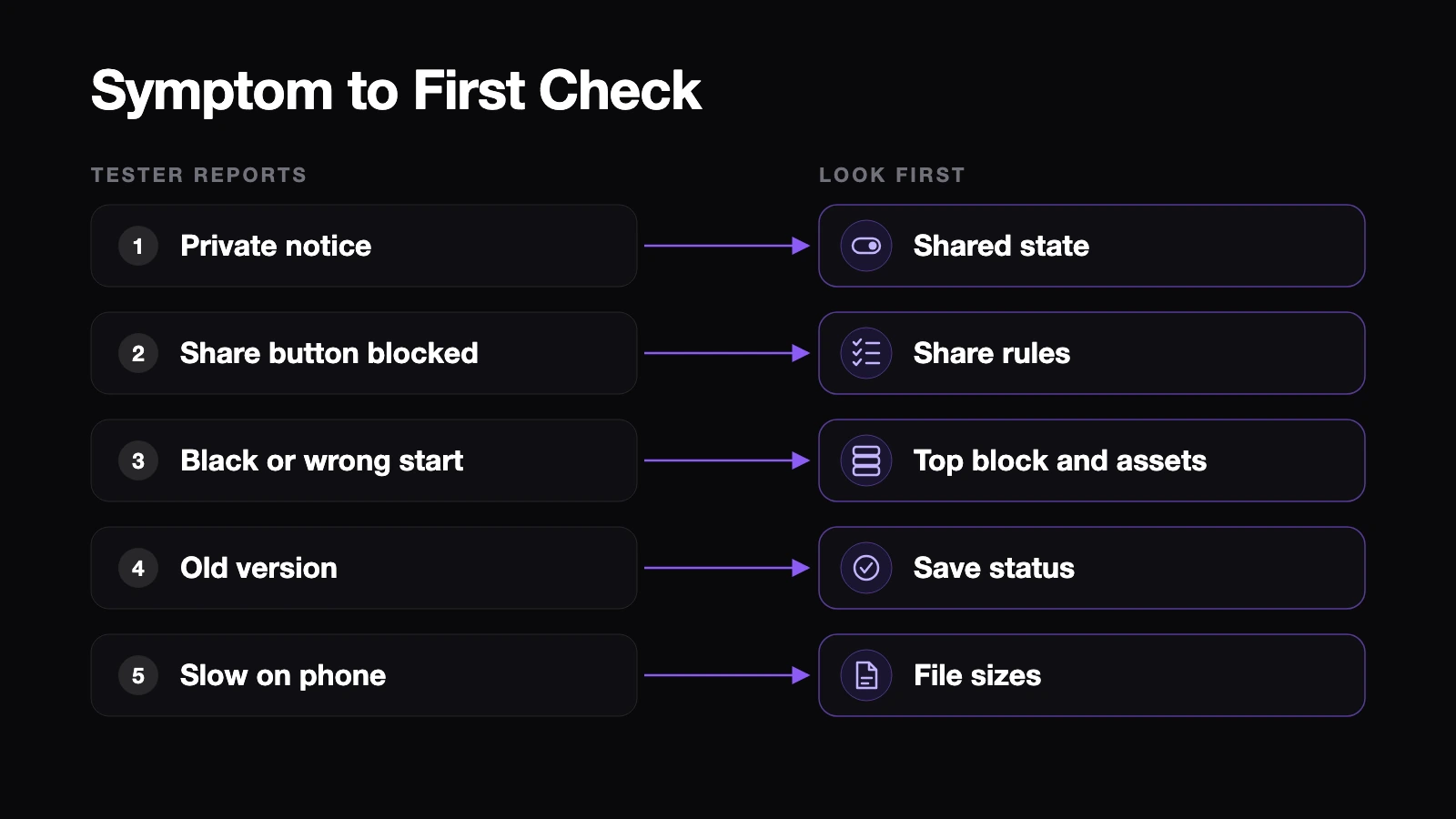
The link says the project is private or doesn't exist
When a share link no longer points to a shared project, the player sees a page that reads "Project is private or does not exist," with a note that the owner made it private or deleted it. We confirmed that page by opening a share address with a project ID that doesn't exist.
There are a few ways to land there:
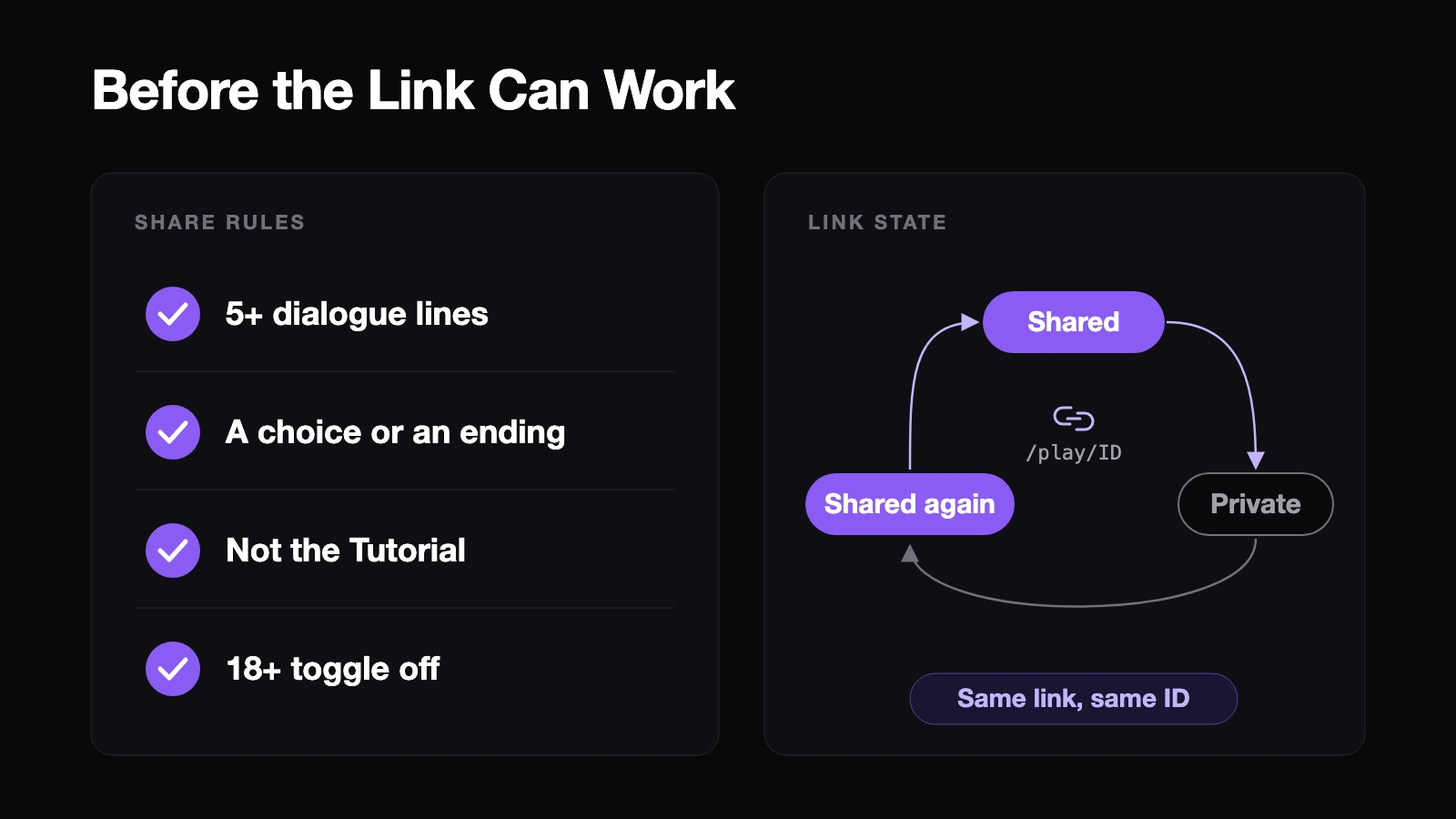
- You stopped sharing. Clicking [Shared] and confirming the unshare dialog makes the link private, and the same link no longer opens the game.
- The address arrived broken. Messengers sometimes cut long links or add characters at the end.
- The project was deleted.
Open the project in the editor and look at the header button. If it reads [Share] rather than [Shared], the project is private. Sharing again brings back the same link, because the project ID doesn't change, so you don't need to send a new address. Just tell the tester to try again. If it already reads [Shared], click it, copy the link from the dialog and compare it character by character with what you sent.
The Share button won't cooperate
Sometimes the problem starts before the link even exists. Novelez only creates a share link when the project has at least five lines of dialogue plus either a choice with two or more options or at least one ending. Fall short and you'll see a message such as "Not ready to share yet: N/5 lines, N/1 choice or ending." The Story progress card at the top of the Stage column shows which steps are done, and clicking an unfinished chip starts that task.
Two other cases block sharing entirely. The built-in Tutorial is learning-only and can't be shared; edits there aren't even saved, so click [Make It Mine] in the header if you want to keep working on it. And since May 2, 2026, projects marked 18+ can't be shared at all. The [Share] button stays disabled. If your story has no explicit adult content, turn the 18+ toggle off and save. That toggle can only be turned off when the project isn't in a review state; approved, pending or rejected projects show a status badge instead.
The game opens, but it looks wrong
If the title screen loads, the link itself is fine and the cause is inside the project. Three reports come up most.
A black screen. Novelez's checklist is short. Make sure the first Background block actually has an image, confirm your backgrounds and characters uploaded properly, and check whether a referenced file was deleted. Deleted assets can't be recovered, so a background you cleaned up last week can leave a scene empty today. Pick a new image with [Choose image] or [Select Background].
The story starts in the wrong place. A Novelez game always starts from the top block of the list, whether or not you have a chapter called start. Click [(Show all)] in the chapter pills row, see what's really at the top and move your opening scene there.
Lines from an option they didn't pick. A chapter that doesn't end with an Ending or Go to chapter block runs straight into the next chapter in the list. Look for the red banner above the script and the red warnings at chapter ends, then add a Go to chapter or an Ending. Our earlier post on reordering blocks walks through this in detail.
A missing character usually means the character isn't registered in the Characters window, has no default or expression image, or points to a deleted file.
They're seeing an older version
Novelez saves about three seconds after you stop typing and right away when you leave the editor, and saved changes show up on the same share link. So when a tester sees last night's version, the first suspect is a save that never landed. Check the status next to the title in the header. It should read "Saved" with a time, not "Waiting to save…". A dropped connection or an expired login session can block saving; log in again and confirm the status changes.
The docs don't say whether a page that's already open picks up your changes on its own, so assume it doesn't. Ask the tester to reload, or better, to reopen the link from the title screen. And if you're about to make a large change while someone is mid-playthrough, finish it first and send one message when it's ready.
It's painfully slow on a phone
Share links work in mobile browsers, but the documentation is direct about the cost: long stories with large assets can use a lot of mobile data. Novelez recommends WebP for images and OGG for audio, and its title screen guide warns that very large files can slow down game startup. If a tester on a phone reports a long wait before the title appears, start with the title background and title music, then the first few backgrounds.
How do you confirm the fix?
Retest the way a player arrives. Your editor's [Play] button and [Play from here] are great for checking flow, but they run inside your signed-in session. A tester opens the link without signing in and lands straight on the title screen.
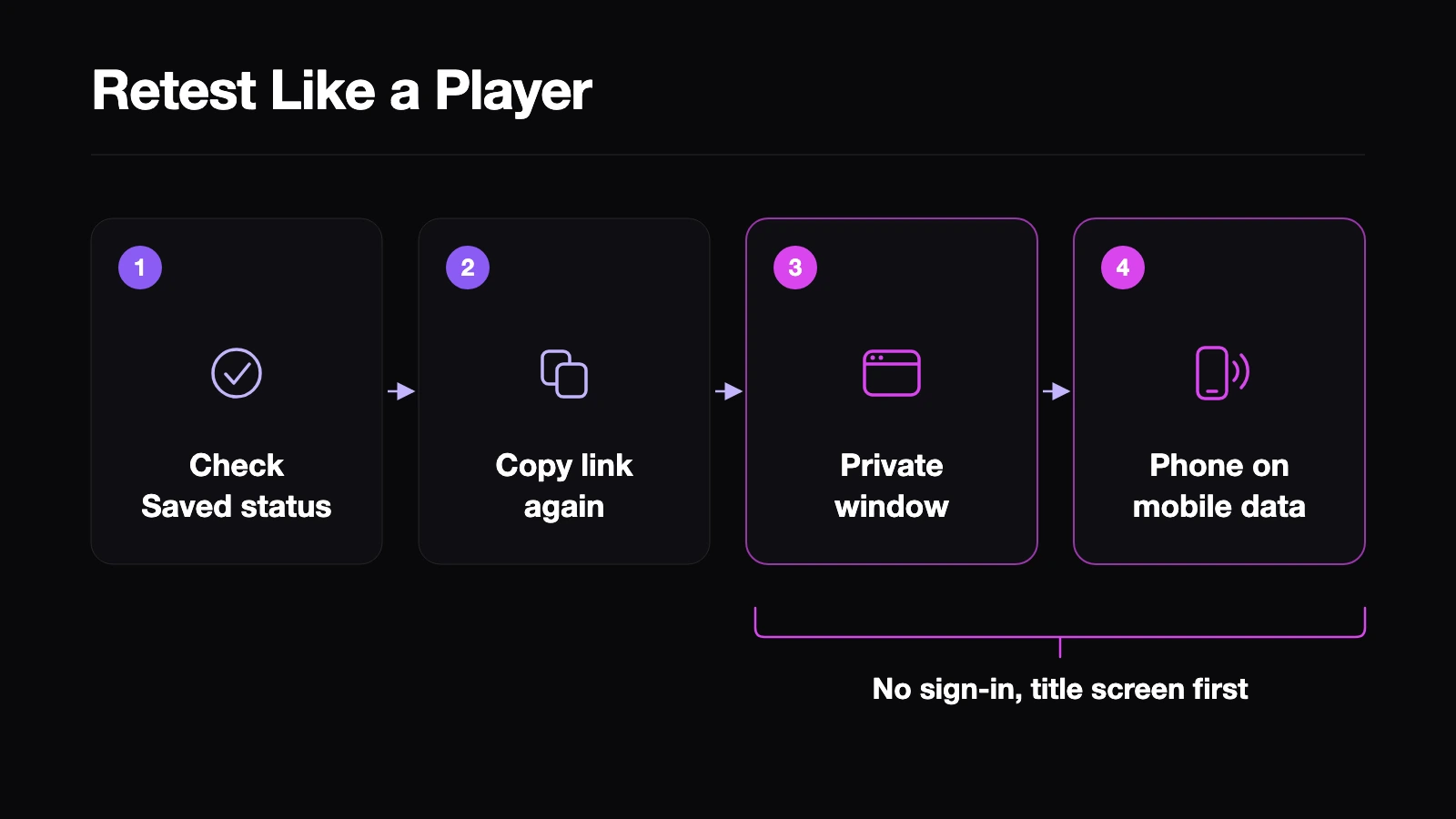
- Confirm the header shows "Saved".
- Copy the link again from the [Shared] dialog.
- Open it in a private window where you aren't signed in, and play from the title screen to the point the tester reported.
- Open it on a phone, ideally on mobile data, and watch how long the title takes to appear.
Then reply to the tester with what you changed and ask them to check the same spot.
Novelez can't tell you what went wrong on someone else's device, and it doesn't replace a clear report. What it does give you is a small set of states (shared or private, share rules met or not, saved or waiting) that you can check in a minute once you know the symptom.
When you've shared a Novelez link, which report did you get most often, and what would have helped you find the cause faster from inside the editor?