Where Should You Look When Reordering Blocks Breaks a Novelez Scene?
October 22, 2026
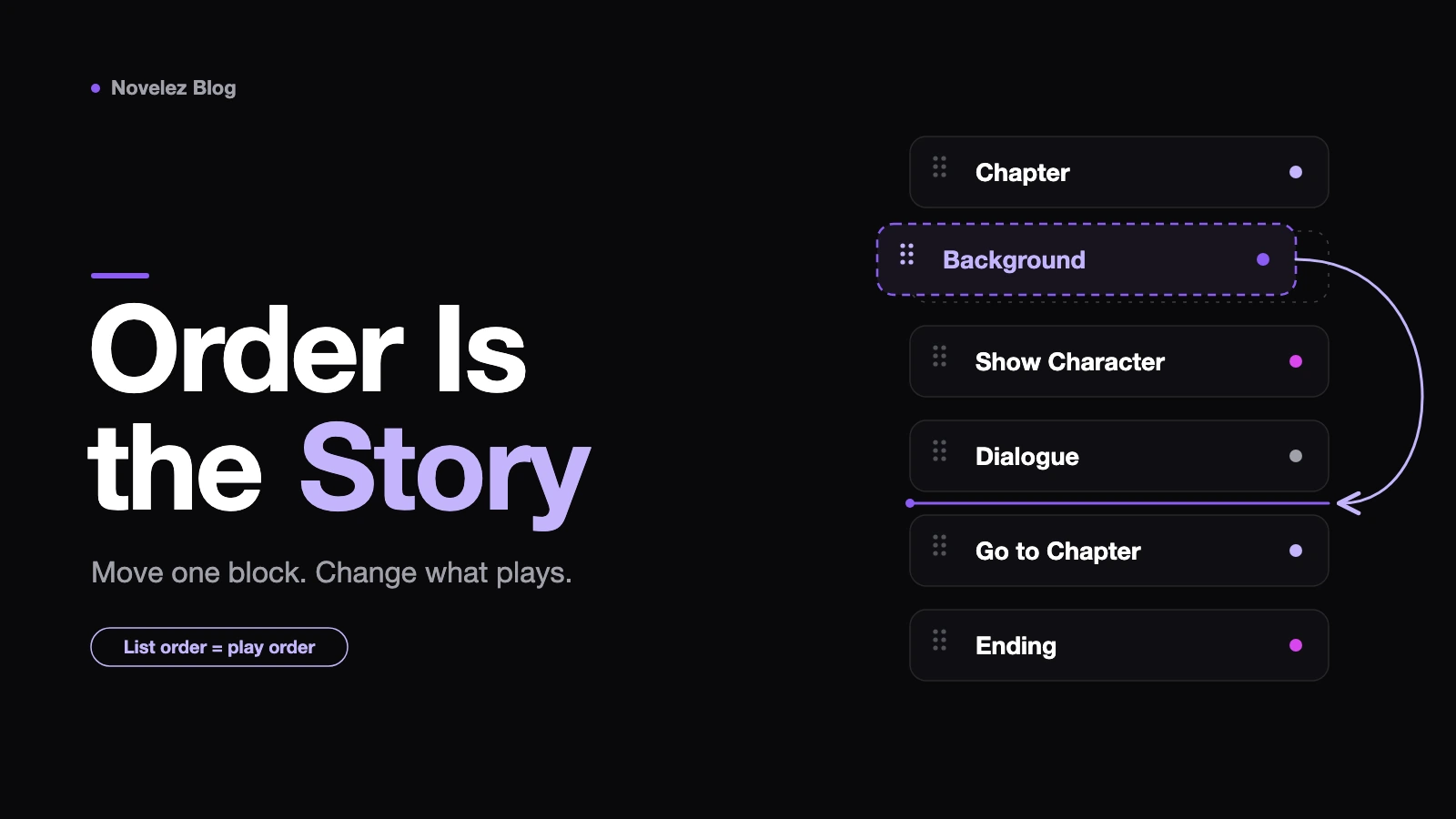
A creator working in Novelez decides the confession scene should come before the rooftop scene, drags six lines up the Script column, and plays the game. Mina is missing from the rooftop. The rain music never starts. And after the player picks "Stay", a line from the "Leave" branch plays anyway. Nothing was deleted. Only the order changed.
That is enough to break a scene, because Novelez uses list order as playback order. The Reordering Blocks page says so directly: any block can be moved, including Chapter, Background and Ending, and because the game plays in list order, reordering can change your story flow. This guide walks through what to check, in the order that usually finds the cause fastest.
Can you still undo the move?
If the drag happened a moment ago, start here. Ctrl+Z outside a text field reverses the last change, Ctrl+Shift+Z redoes it, and Undo and Redo in the header's More menu do the same. The docs specify outside a text field, so if the cursor is still blinking in a dialogue line, click an empty spot before you press it.
Undo is most useful before you keep editing. Novelez saves automatically about three seconds after you stop, so the new order is already stored, and every edit after the drag is one more step to unwind. If you have written ten new lines since then, finding the cause is often quicker than undoing everything.
Which ordering rules did the move touch?
Five rules from the Novelez docs explain most broken reorders. Each one turns a position into a behavior.
- The game starts at the top of the list. A chapter named start is not required, and any block above it plays first.
- A chapter is only a name tag. If it has no Ending or Go to chapter at its end, play continues into the next chapter in the list.
- Blocks placed after a Go to chapter are not played.
- A Background block switches the image and clears every character on screen.
- A Choice option with no destination continues to the block right after the Choice.
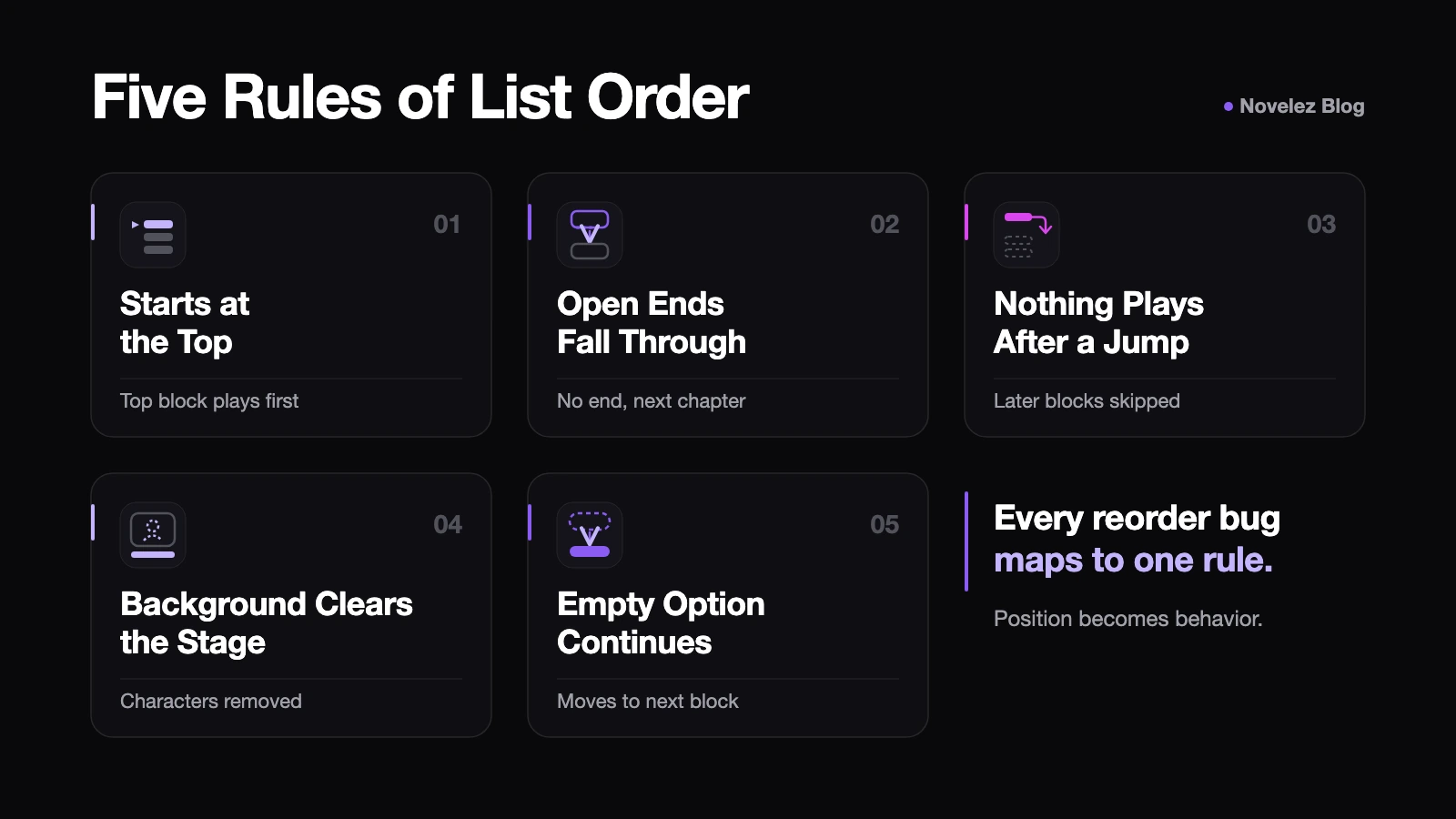
Hold the moved block against this list before you open anything else. A dialogue line dropped under a Go to chapter stays silent because of rule 3. A character who vanished probably lost her place to rule 4, with a Background line now sitting after her Show character line. A branch that runs into another branch is rule 2.
What sits at the top of the list now?
Dragging a block near the beginning is the easiest way to change where the game starts. Click (Show all) in the chapter pills row so no filter hides lines, then look at the very first block. The Common Issues page points out that a start chapter does not protect you: anything above it still plays first.
Two blocks deserve a look while you are up there. The Player info block collects the name used by {player_name}. If it now sits below the first dialogue that uses the name, the troubleshooting page lists that as a reason the braces appear as literal text. Variable blocks that set starting values, such as affection = 0, belong at the top as well. If one slid below a line that adds to the same variable, the starting value overwrites the points the player just earned.
What does each chapter end say?
This is the most useful check inside the editor after a reorder. Below the last line of every chapter, Novelez shows a dotted chapter-end strip that states where play goes next:
- A strip saying the chapter ends with an ending, or goes to a named chapter, means it is closed.
- An orange strip saying play continues into the next chapter means it falls through, whether you meant it to or not.
- A red strip saying the unchosen branch plays next means a player will see dialogue from an option they did not pick.
When any red case exists, a banner above the list counts the places and offers Show first, which jumps to the earliest one. Orange and red strips both carry an Add Go to chapter button, so fixing a leaking branch is usually one click plus choosing the rejoin chapter. If that branch should end the game instead, add an Ending.
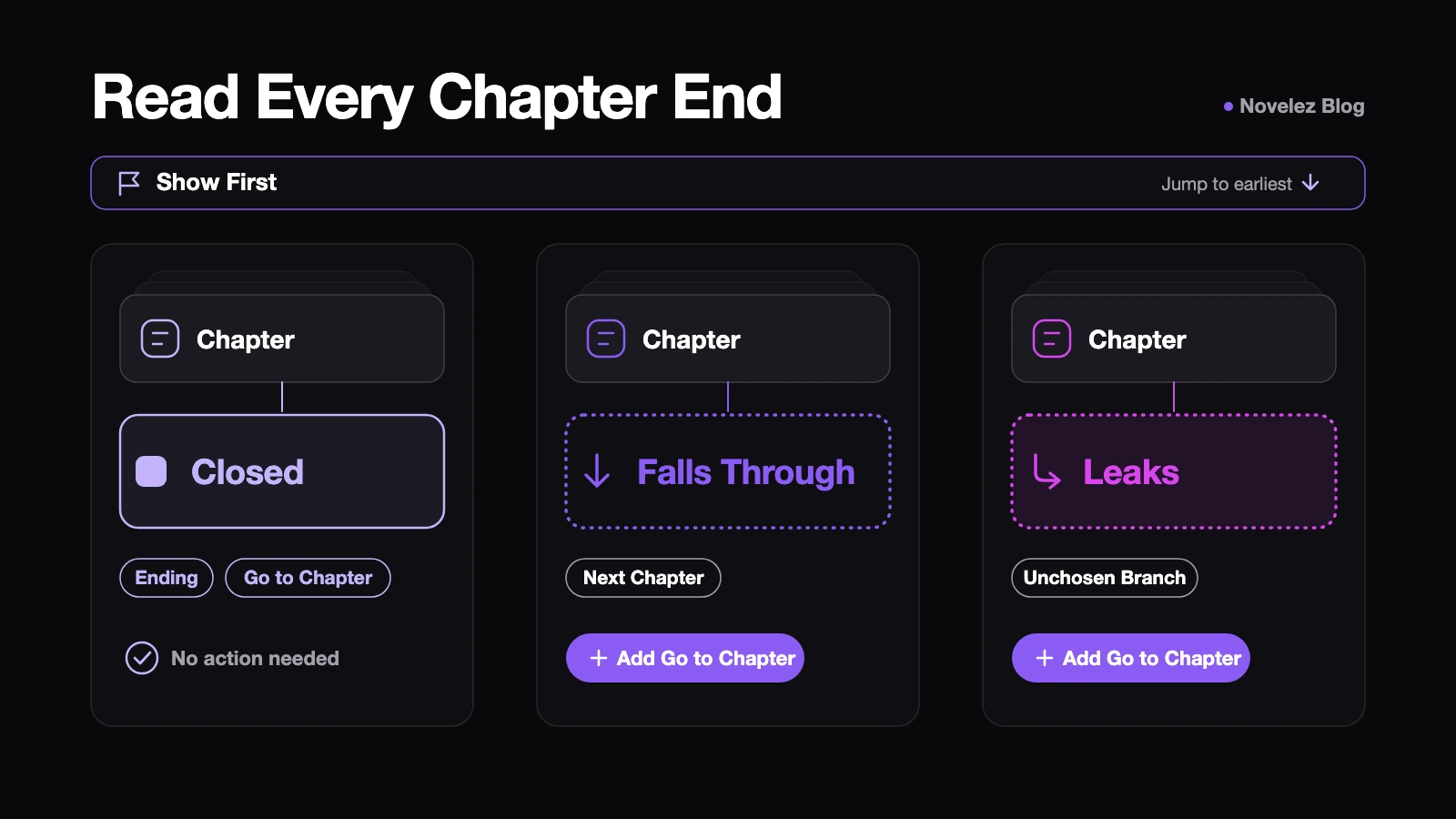
Reorders cause this often because the Go to chapter at the end of a branch is just another block. Drag a group of lines across a chapter boundary and that jump can land in the middle of a chapter. The lines after it stop playing, and the chapter it used to close is left open. Flow view shows the same problem from above. An automatic continuation is drawn as a dashed line, and one that runs into an unchosen branch is drawn in red. You cannot delete that line. It disappears only when the chapter gets a Go to chapter or an Ending.
Does the scene still look right around the moved block?
Chapter-end strips describe where play goes. They do not tell you whether a scene still looks the way you planned, so staging needs its own pass.
Select the line just before the moved block, then the moved block, then the line after it, and watch the Stage. The Stage only follows the path the story actually takes to reach the selected line, so what it shows is what a player would see at that moment. Look for three things:
- A character who should be on screen but is not. Check whether a Background line now sits between her Show character line and her dialogue.
- Music that starts in the wrong place. The Background block docs suggest putting a Music block right after the Background it belongs to, and a new Music block stops the previous track and replaces it.
- An expression that changes too early, because a Show character line with a different image moved above the dialogue it was meant to follow.
The Stage is view-only, so you cannot press a choice there. It is still the fastest way to step through staging line by line with Prev and Next.
How should you replay after fixing it?
Play from here starts at the selected line and carries over the background, music and characters from the lines above, which makes it the right tool for checking a repaired scene quickly. Start from the line before the moved section and play through the next choice.
It has one limit worth knowing. According to the Testing Strategies page, Play from here applies every Variable block above the selected line in list order before it starts, and that can include Variable blocks from other branches. If the reorder touched a scene that changes a score or a flag, finish with Play in the header and follow a real route from the title screen.
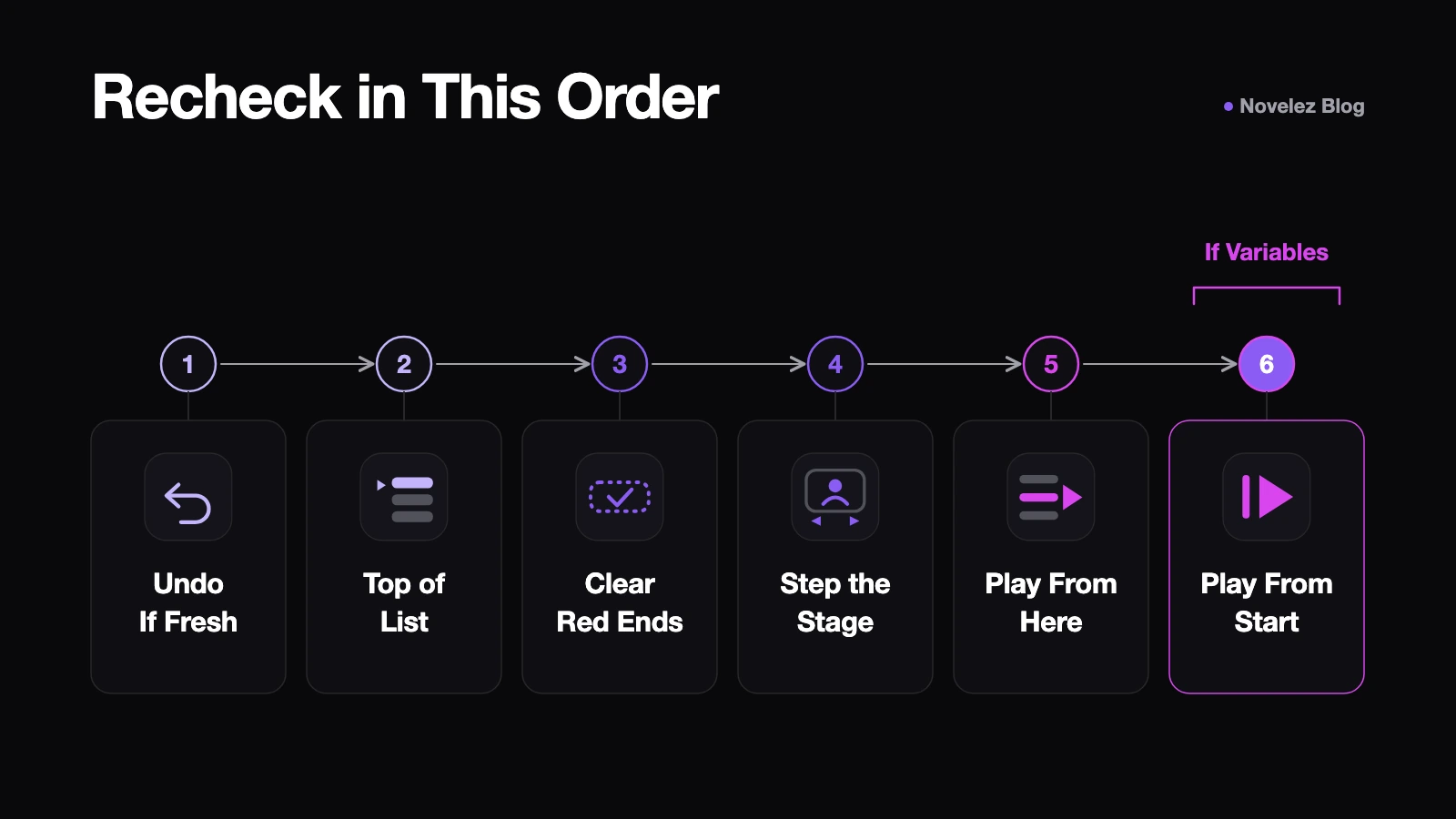
A short order that covers most reorders:
- Undo if the move is fresh and wrong.
- Check the top of the list with (Show all).
- Clear every red chapter-end warning and the banner.
- Step through the moved area on the Stage.
- Use Play from here across the next choice.
- Play from the start once if variables are involved.
Is there a safer way to move a long section?
Yes, and the docs recommend it. Dragging forty lines one at a time invites exactly the mistakes above. The Reordering Blocks page suggests grouping a large section into a chapter and changing which chapter your Choice or Go to chapter blocks point to. The lines stay where they are. Only the route changes.
Flow view makes that redirect visible. Drag a new connection from a chapter node's output handle onto the destination node, and the block's destination updates immediately. An existing line cannot be grabbed and moved, so you always draw a new one. After any redirect, the docs advise checking the chapter-end strips or using Play from here again, since one changed destination can alter a route that used to work.
If you do drag individual blocks, the same page has a small trick: make a distinctive edit on the block first so you can spot where it landed. Novelez also has no block duplication, so moving a block is not a safe way to copy it. Type the content again, or press Enter at the end of a dialogue line to keep writing with the same speaker.
What the editor flags and what it leaves to you
Novelez tells you where play goes: chapter ends that fall through, branches that leak, destinations that do not exist. It does not compare the new order with the scene you had in mind. A character cleared by a Background, a track that starts one line late, or an expression that changes one line early all look ordinary in the block list until you watch them on the Stage or in playback.
So the habit that saves the most time is a small one. After any drag that crosses a chapter boundary or a Background line, read the nearest chapter-end strip and play that scene once. When reordering trips you up in Novelez, is it usually while moving whole scenes between chapters, or while nudging staging lines inside a single scene?