Why Does the Volume Jump Around in Your Visual Novel, and Where Do You Start Fixing It?
October 30, 2026
A player reports that the title music sounded fine but the chapter two background track nearly blew out their speakers. Another turned the volume down after a door slam made them jump, and now can't hear the voiced lines. Most players never write in at all. They fiddle with the sliders, give up and read your visual novel in silence.
This is a good week to go after the problem. The Spooktober Visual Novel Jam 2026 collected 421 entries during September, and its rating period closed on October 28. Among its tips for reaching the judges' shortlist, the jam page says "Be mindful of your loudness!" (Spooktober Visual Novel Jam 2026) and suggests having someone master your audio before you submit. Judges play the copy downloaded at the deadline, but the organizers encourage updates after the jam, so a cleanup patch now still reaches players. Even if you never entered a jam, the same checks apply to any visual novel that's close to release.
Here's a troubleshooting order built on the Ren'Py documentation, Sony's ASWG-R001 loudness recommendation and the Audacity manual.
Where is the jump coming from?
Set the music, sound and voice sliders to their defaults and play from the start. Each time a line is too loud or gets buried, write down the scene and the file name. Then search your script for every place that changes volume. In Ren'Py there are only a few:
- A
volumeclause afterplayorqueue, such asplay sound "door.ogg" volume 0.4, which affects that one statement. - A
<volume 0.5>prefix on the file name, which quiets that file everywhere it plays. renpy.music.set_volume(), which changes a whole channel and is stored in saves and rollback.- Defaults like
default preferences.volume.music = 0.75.
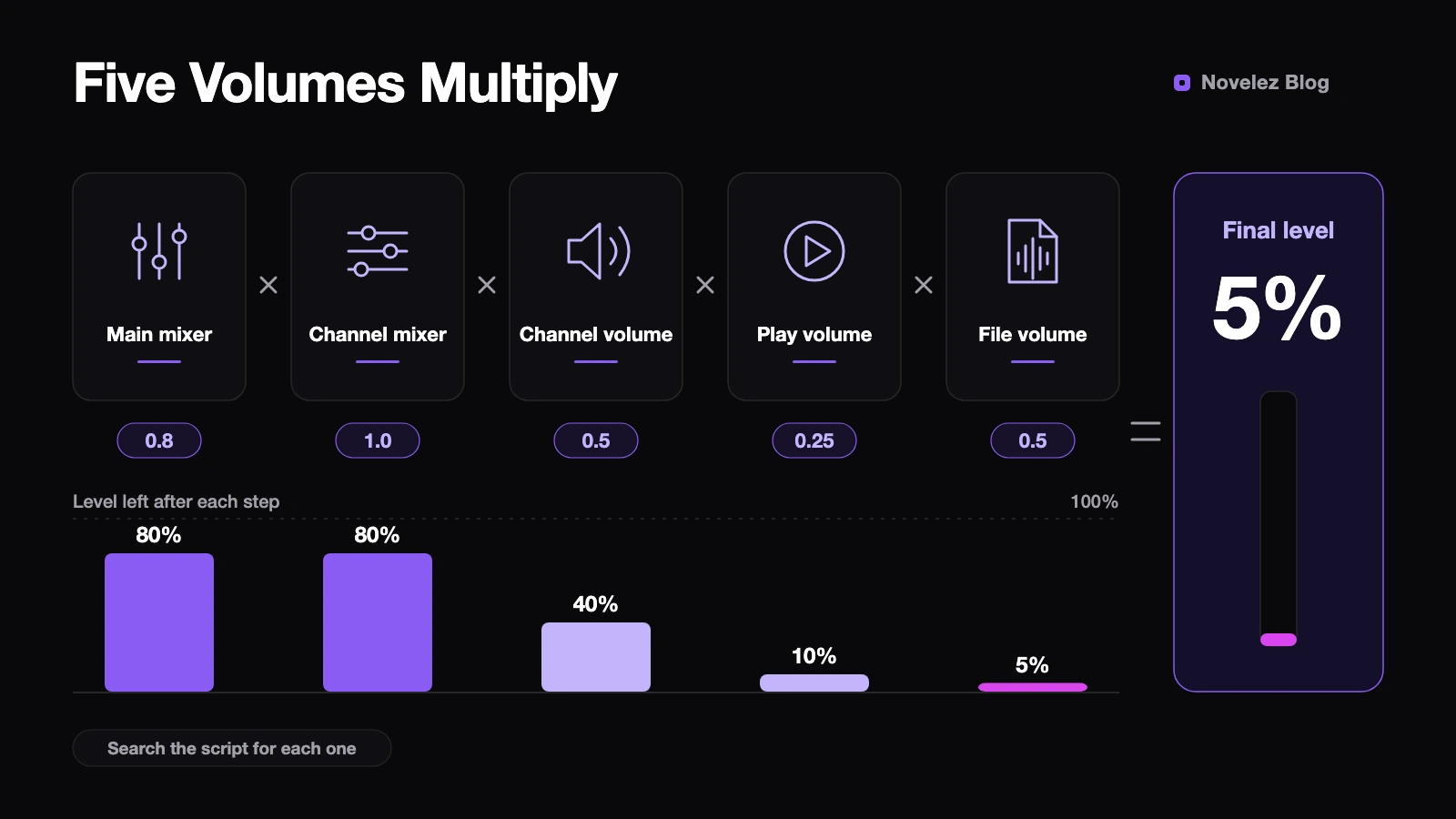
The Ren'Py Audio documentation explains that these values multiply: the main mixer, the channel's mixer, the channel volume, the statement's volume clause and the file name's volume. Its own example, 0.8 times 1.0 times 0.5 times 0.25 times 0.5, ends at 5 percent of the original level. If you patched volume line by line under deadline pressure, that's usually why one scene is too quiet and the next is too loud. The multipliers are scattered, so changing just one of them never quite works.
What if the files themselves don't match?
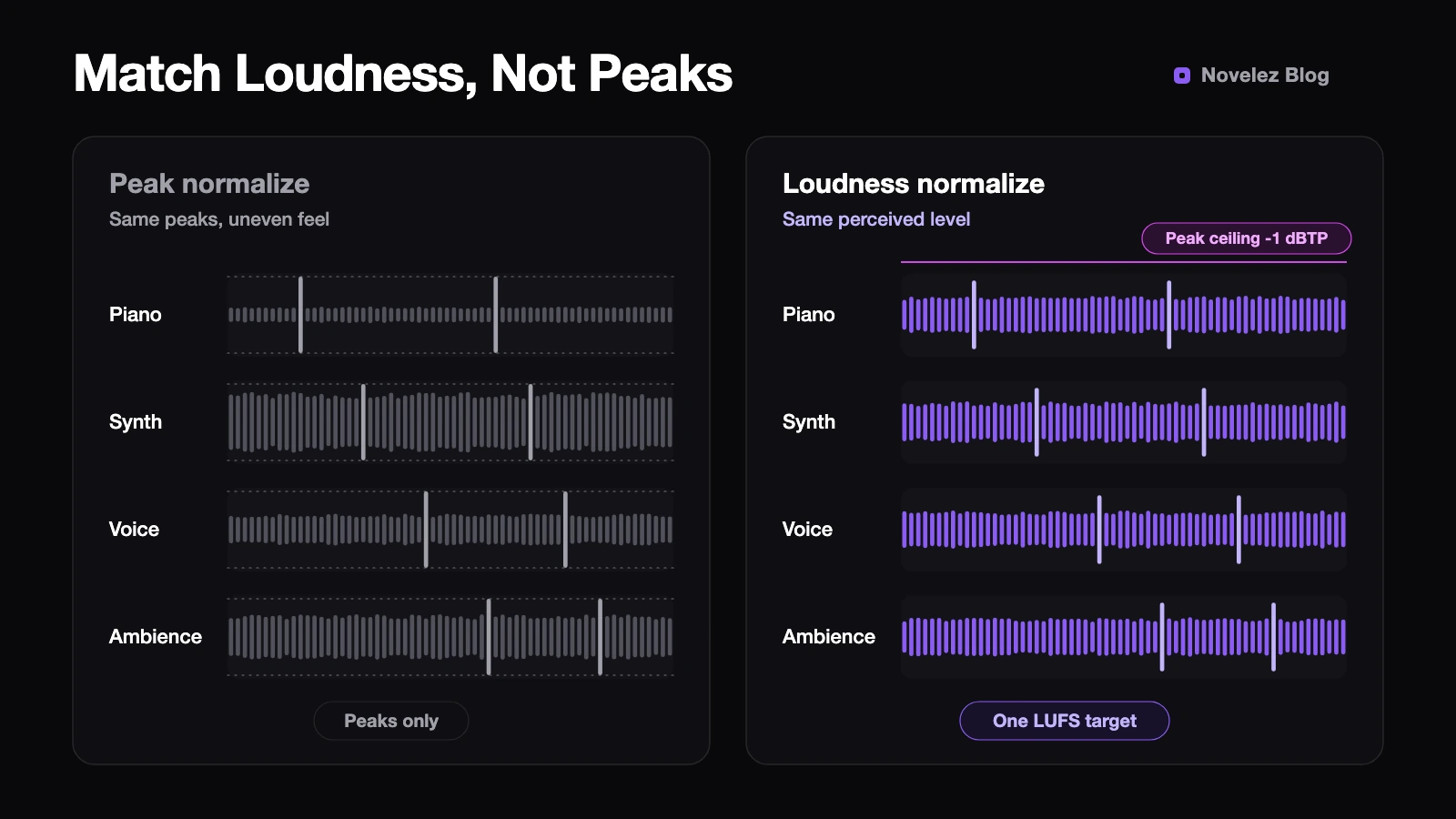
Often the script is innocent and the files are the problem. A track from one free music site, a voice line recorded in a bedroom and a pack of sound effects all arrive at different levels. The usual Normalize button doesn't fix that, because it lines up the single loudest moment, the peak. A sparse piano piece and a dense synth track with identical peaks can sound very different.
To match what ears actually hear, normalize loudness in LUFS. Audacity's Loudness Normalization effect, found under Effect, then Volume and Compression, is based on EBU R 128 and defaults to -23 LUFS (Audacity Manual). The manual suggests running it as the last edit before export.
Which number should you aim for? The most cited public game target is Sony's ASWG-R001. It recommends an average of -24 LKFS, plus or minus 2, for home consoles, -18 LKFS, plus or minus 2, for handhelds, and true peaks no higher than -1 dBTP. LKFS and LUFS are the same unit. Those figures were written for Sony platforms, though, so a PC or browser visual novel isn't bound by them. My advice is simpler: pick one number for each kind of file and stick to it.
- Normalize every music track to the same LUFS value.
- Normalize voice files to their own single value, which also evens out actors recorded in different rooms.
- Match short effects like a door slam by ear against the normalized music, since an average reading tells you little about a half-second sound.
- If boosting a quiet track pushes its peaks past -1 dBTP, lower your target or put a limiter on it.
There's one more catch if you mix mono and stereo files. The Audacity manual notes that a two-channel file with identical left and right channels measures 3 dB louder than the same audio saved as one-channel mono. Audacity's "Treat mono as dual-mono" option, on by default, compensates for this, but other meters may not, so keep it in mind when you compare numbers.
Once the files match, delete most of the volume clauses and <volume> prefixes from your script. Keep only the deliberate ones, like a bell that should sound far away. Fewer multipliers means fewer places to look next time.
What if voices get buried under the music?
Even with matched files, music can crowd voiced lines, and turning music down everywhere leaves unvoiced scenes feeling empty. Ren'Py can lower other sounds only while a voice is playing. Following the configuration documentation, set config.emphasize_audio_channels to ['voice']. When the player's emphasize audio preference is on, every other channel drops to config.emphasize_audio_volume, 0.8 by default, over config.emphasize_audio_time, 0.5 seconds by default, and rises again when the voice stops. That 0.8 is an amplitude, so the dip can be subtle. Listen and adjust it.
Check your starting slider values too. In Ren'Py a mixer value of 0.0 equals -40 dB and 1.0 equals 0 dB (Preferences documentation), and every mixer starts at 1.0. If your music runs hot across the board, lowering default preferences.volume.music a little is a quick stopgap while you work on the files. It sets the value players start with, so settle it before release.
How do you confirm the fix?
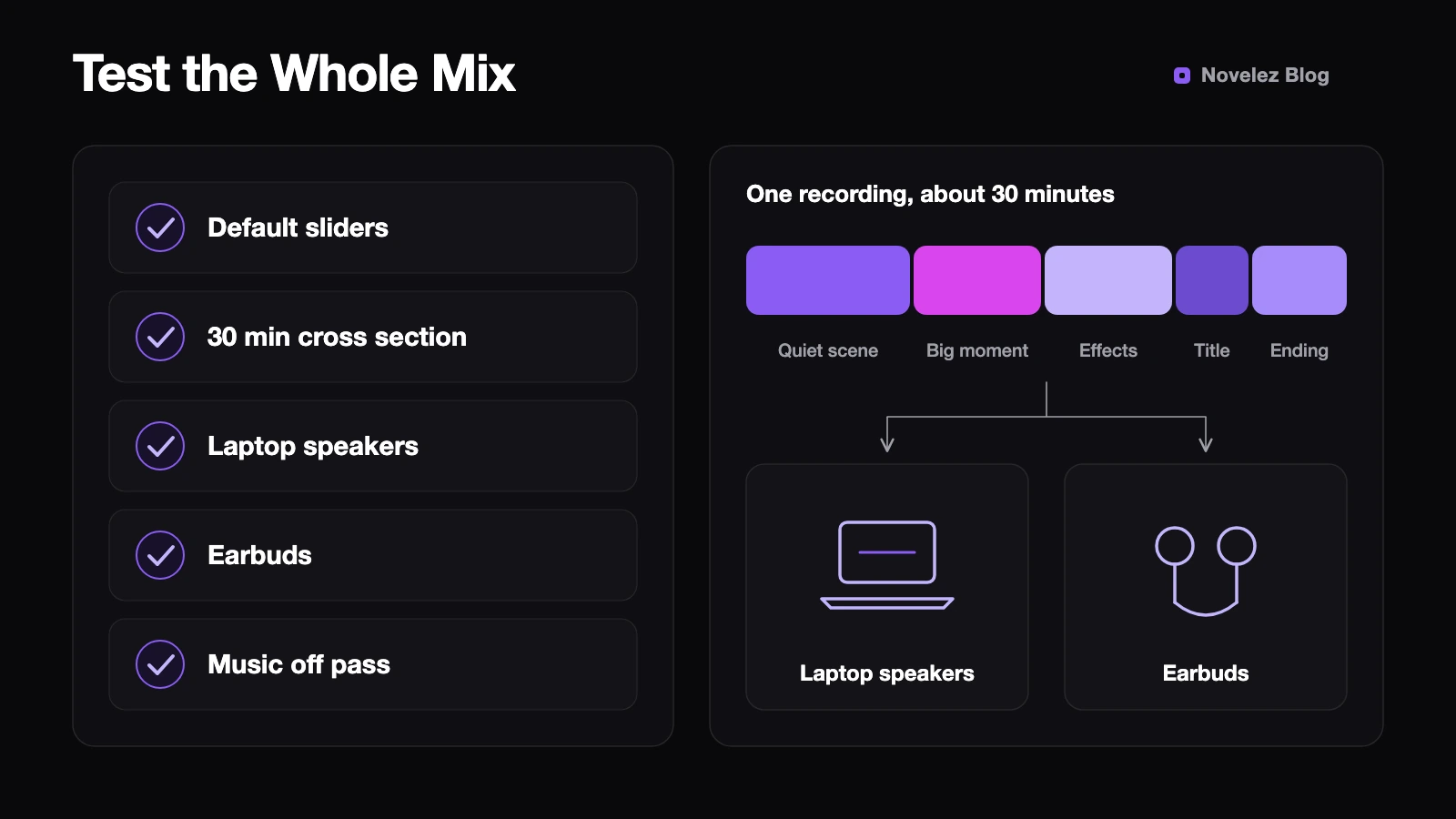
ASWG-R001 says to measure the whole mix rather than dialogue, effects or music separately, and to cover a representative cross section of the game for at least 30 minutes. That translates well to visual novels. Record about half an hour that mixes quiet everyday scenes, emotional peaks, effect-heavy moments, the title screen and an ending.
Listen in more than one place: once on laptop speakers and once on earbuds. Bass-heavy tracks tend to shrink on small speakers, while sharp effects jump out in earbuds. If you can get through the whole recording at default sliders without wanting to touch the volume, you're done. As a final pass, drag the music slider to zero and check that every scene still makes sense with voices and effects alone.
Players rarely praise good audio levels, but they notice bad ones right away. What's the most memorable volume complaint you've had about your visual novel, and where did the cause turn out to be?