How Do You Patch a Released Visual Novel Without Breaking Players' Saves?
October 23, 2026
October is patch season for a lot of small visual novels. The Spooktober Visual Novel Jam closed submissions on October 1 and keeps judging open until October 28. The organizers judge the copy they downloaded at the deadline, but they tell entrants they can keep updating and fixing their games for players. Plenty of teams will do exactly that this month, and some of them will hear the same complaint once the patch is live: my old save won't load.
This guide covers Ren'Py, since that is where a large share of jam and indie visual novels end up. Everything below comes from the official Ren'Py documentation unless I mark it as my own recommendation.
What does a Ren'Py save actually remember?
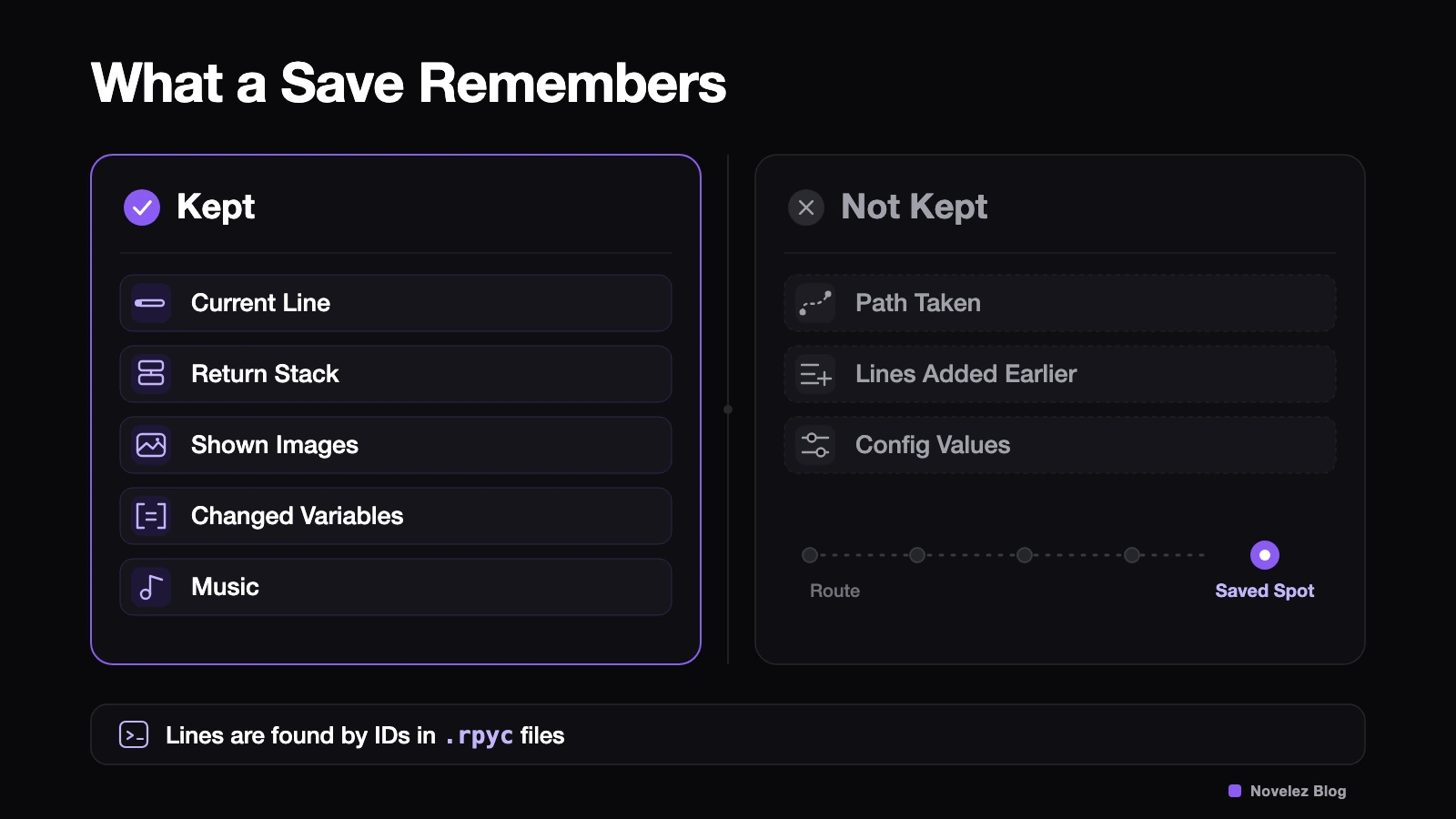
Less than people assume. According to the Saving, Loading, and Rollback page, a save holds the statement currently running, the statements it needs to return to, the images and screens on display, the music, and any variables that changed after the game started. It does not hold the path the player took to get there. The documentation is blunt about the consequence: statements added to the game, including variable assignments, won't run for a player whose save sits past them.
So suppose your patch adds $ met_rin = True halfway through chapter two. A player who saved in chapter three loads, keeps reading, and hits an error the moment chapter three checks met_rin, because that line never ran for them.
The second thing to understand is how a save finds its place. Ren'Py compiles scripts into .rpyc files, and those files assign unique IDs to lines of dialogue and scenes. Saves rely on those IDs. The Building Distributions page explains that editing an .rpy file regenerates its .rpyc, and the IDs can drift away from the ones your released build used. When that happens, an older save may not find where it belongs.
What should you lock down before building the patch?
Four habits cover most of the risk.
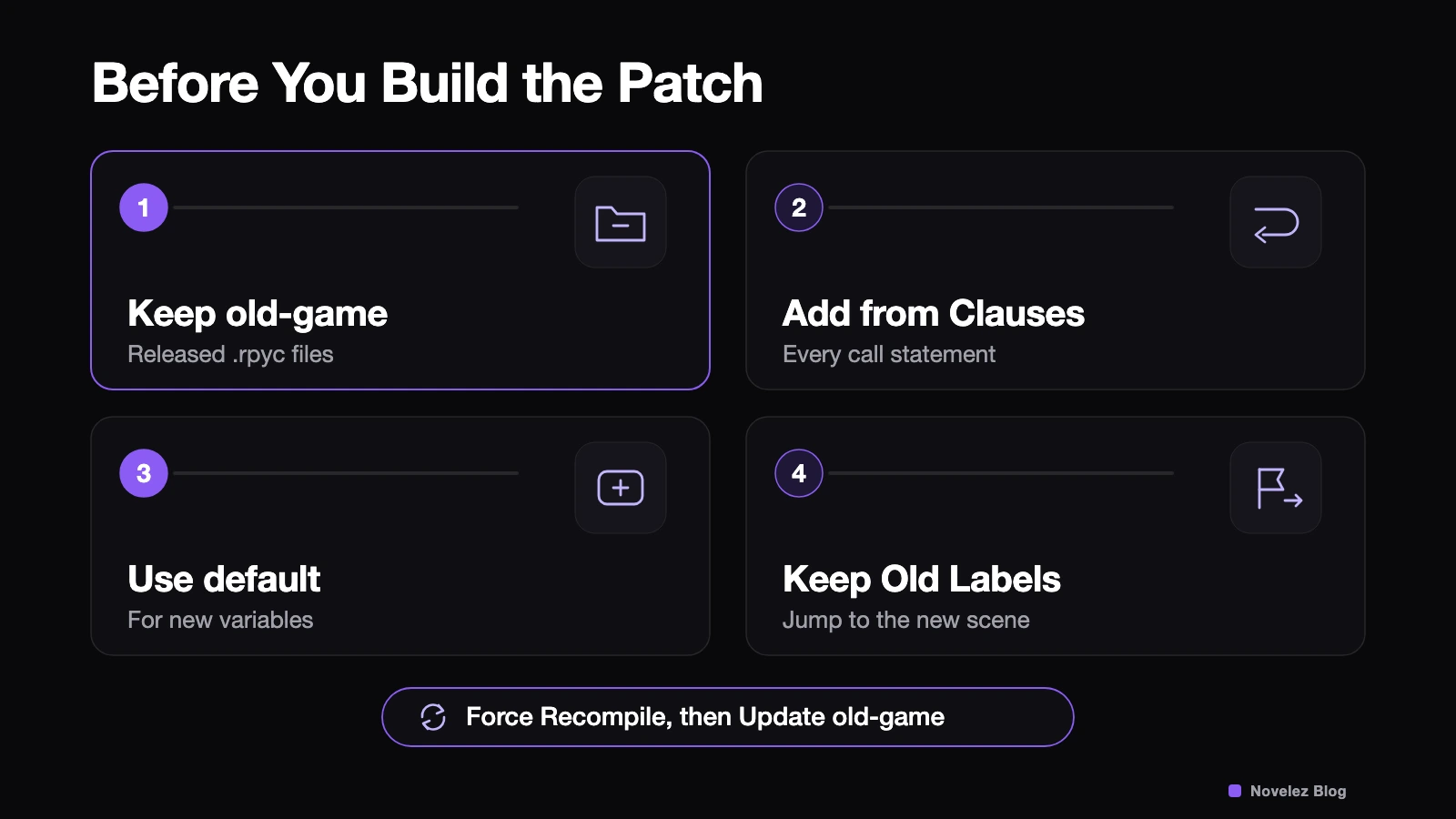
Keep the released .rpyc files in old-game. The old-game directory sits next to game in your project and mirrors its structure, so game/scripts/day1.rpyc goes to old-game/scripts/day1.rpyc. When it exists, Ren'Py uses those files as the starting point when recompiling changed scripts and keeps the IDs for anything you didn't touch. Before building a release, the documentation says to turn on Force Recompile on the launcher's build page, click Update old-game, then build. If you already shipped without it, copy the .rpyc files from your released game folder into old-game now. Also check that your version control isn't ignoring .rpyc files: the command line documentation warns that a build pipeline which fails to carry them forward may produce a game that can't load saves.
Give every call a from clause. When a player saves inside a scene reached with call, the save also has to remember where to return. The Labels and Control Flow page warns that shipping calls without from clauses and then editing the file that contains them risks breaking saves made inside the called label. The build screen's Add from clauses to calls option fixes this in one pass. It rewrites your script files, so commit or back up first.
Declare new variables with default. Per the Python Statements page, a variable declared with default is set when a new game starts and also when a loaded save doesn't have it yet. Adding default met_rin = False removes the chapter three error. It does leave old saves believing the player never met Rin, which is a data question for the next section.
Don't delete or rename labels that shipped. Saves and the return stack can point at those labels. If a scene has to move, leave the old label in place with a single jump to the new one. This one is my recommendation, based on how the documentation describes loading, rather than a rule the docs spell out.
How do you fix data in saves that already exist?
If you renamed a variable or changed how points are counted, loaded saves need to be migrated. Ren'Py runs a special label named after_load whenever a save is loaded, if one exists. The documentation adds a caveat: if that label changes data, call renpy.block_rollback(), or a player rolling back past the load point can undo your fix.
A pattern I like is a single version marker for save data. Declare default save_format = 1, and set $ save_format = 2 at the top of the start label so new games begin on the new format. Only saves from the old build will load with 1. In after_load, when the value is 1, copy the old values into their new names, set it to 2, call renpy.block_rollback(), and return.
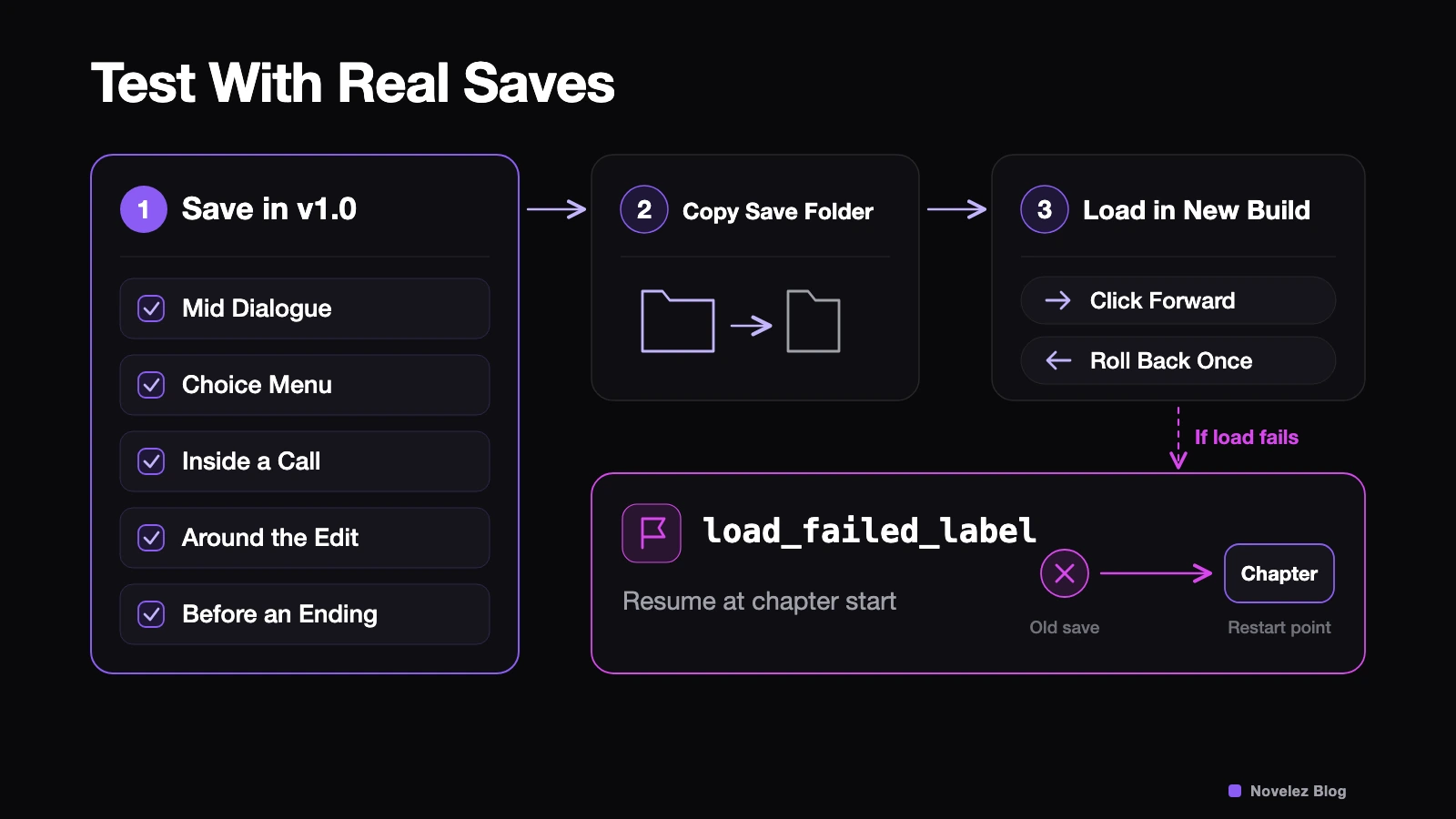
For saves that still can't be recovered, set config.load_failed_label from the configuration reference. When the script has changed so much that Ren'Py can't find its place, it jumps to that label instead of stopping with an error. That gives you room for a short message along the lines of "this save is from an older version, so the story resumes at the start of the chapter," followed by a jump to that chapter.
Which saves should you test with?
Real ones, made with the build players already have. Before you start editing, run the released version and save in these spots:
- in the middle of ordinary dialogue
- while a choice menu is on screen
- inside a scene reached with call
- just before and just after the scene you plan to change
- right before an ending
Saves live in a folder named after your game's save directory setting, under %APPDATA%/RenPy on Windows, ~/Library/RenPy on macOS, and ~/.renpy on Linux. Copy that folder somewhere safe and you have the same test set for every patch build. Leave the save directory setting alone in a patch: change it and the game starts looking in a different folder, so every existing save seems to vanish.
In the new build, load each save, click forward a few lines, then roll back once. You're looking for missing variable errors, jumps to the wrong scene, and the load failed path. Be extra careful if the patch also upgrades the Ren'Py SDK. The documentation says save compatibility between Ren'Py releases is usually kept but not guaranteed. Shipping the engine upgrade and the content fix as separate patches makes any breakage much easier to trace.
What if some saves break anyway?
Sometimes a patch restructures enough that not every save can be rescued. Say so in the patch notes instead of hoping nobody notices. Tell players which versions' saves won't load, which chapter to restart from, and whether things stored outside saves, like unlocked endings, carry over. For a jam game, mention that the judged copy and the updated build differ, which spares both players and judges some confusion.
Have you shipped a visual novel patch that broke saves? If so, was it a renamed label, a new variable, or an engine upgrade, and how did you explain it to players?