Now That the itch App Can Add Games to Steam, Is Your Visual Novel Build Ready?
October 19, 2026
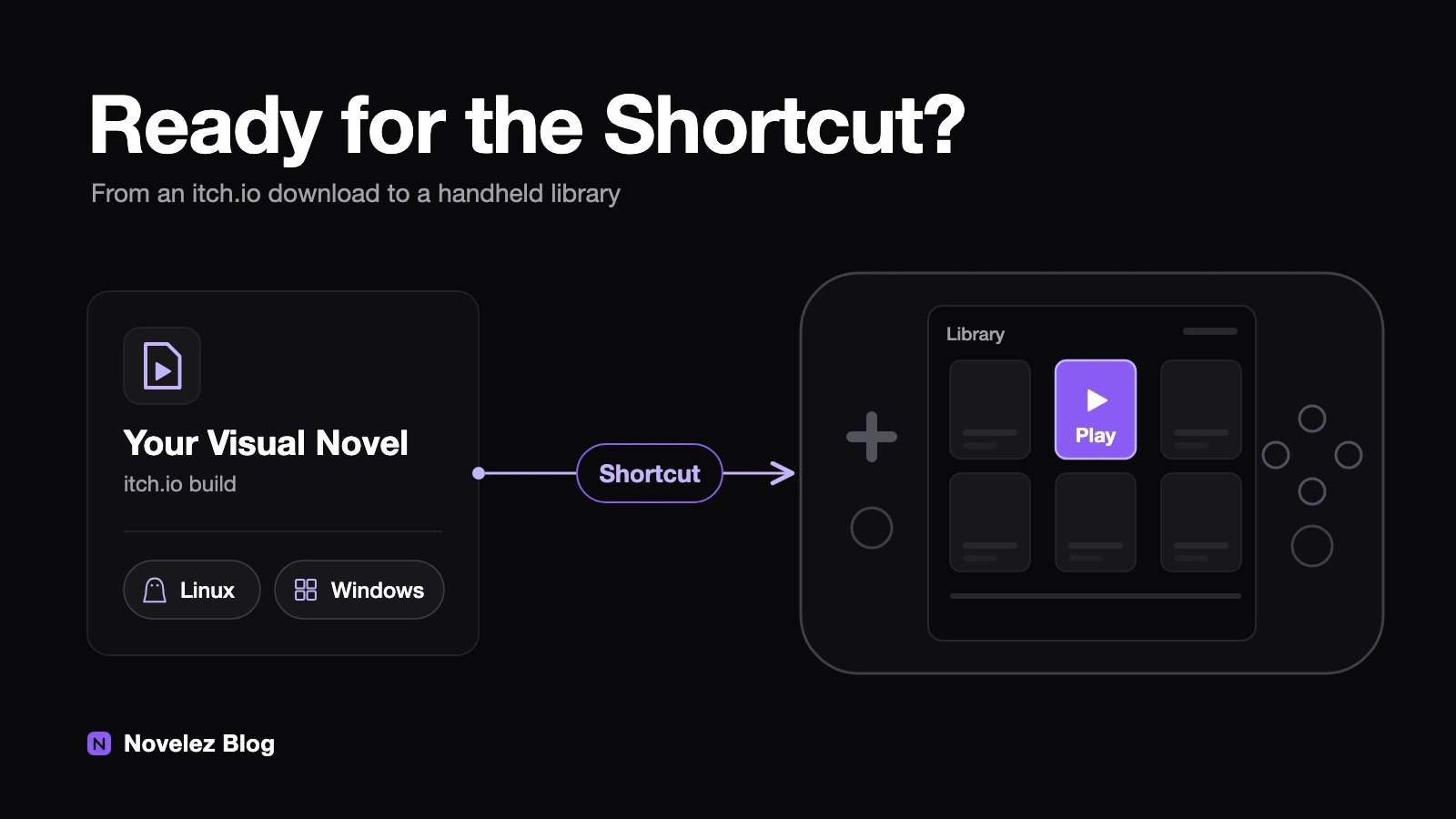
A player buys your visual novel on itch.io and then asks the question every small creator eventually gets: will this run on my Steam Deck? Until recently, the honest answer came with a detour. The player had to add the game to Steam by hand as a non-Steam game, point it at the right executable and pick a compatibility tool. Over the past seven weeks, itch.io and Valve removed most of that detour. What is left to go wrong now sits mostly in the build you uploaded.
What shipped, and when?
Three releases, close together:
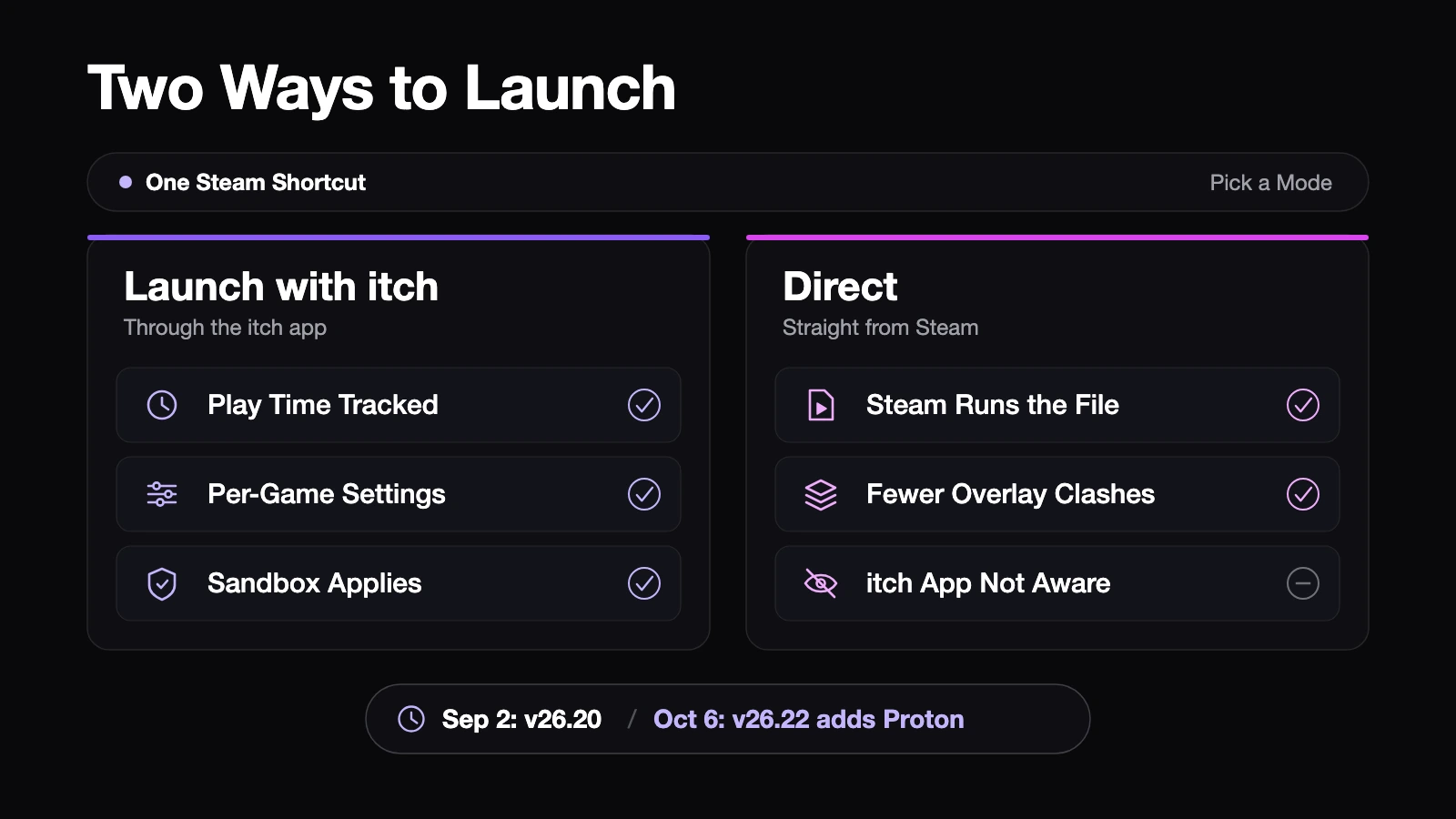
- September 2. The itch app v26.20.0 added a Steam Shortcuts tool, according to the itch.io announcement and the release notes on GitHub. Games installed through the app can be pushed into Steam, where they are grouped in an itch.io collection.
- October 6. Version 26.22.0 fixed shortcut failures across more Steam installs and profiles, and added shortcuts that run Windows games through Proton on Linux. The follow-up post calls the end-to-end flow "fully functional".
- October 7. A Steam client beta made Windows binaries registered as non-Steam games run in Proton by default. That change is still in the beta channel.
Each shortcut can use one of two launch modes. "Launch with itch" starts the game through the itch app, so play time, per-game launch settings and sandboxing all apply. "Direct" points Steam at the executable and leaves the itch app out, which avoids clashes with the Steam overlay or Proton but means the app has no idea the game is running. GamingOnLinux covered the first release as a practical win for Steam Deck and Big Picture users.
Two limits are worth knowing. HTML5 games still need a browser, so the new background launch hands them back to the full app. And the headless launcher does not support macOS yet.
Which path will your game take on a Deck?
The answer depends almost entirely on which files you put on your itch.io page.
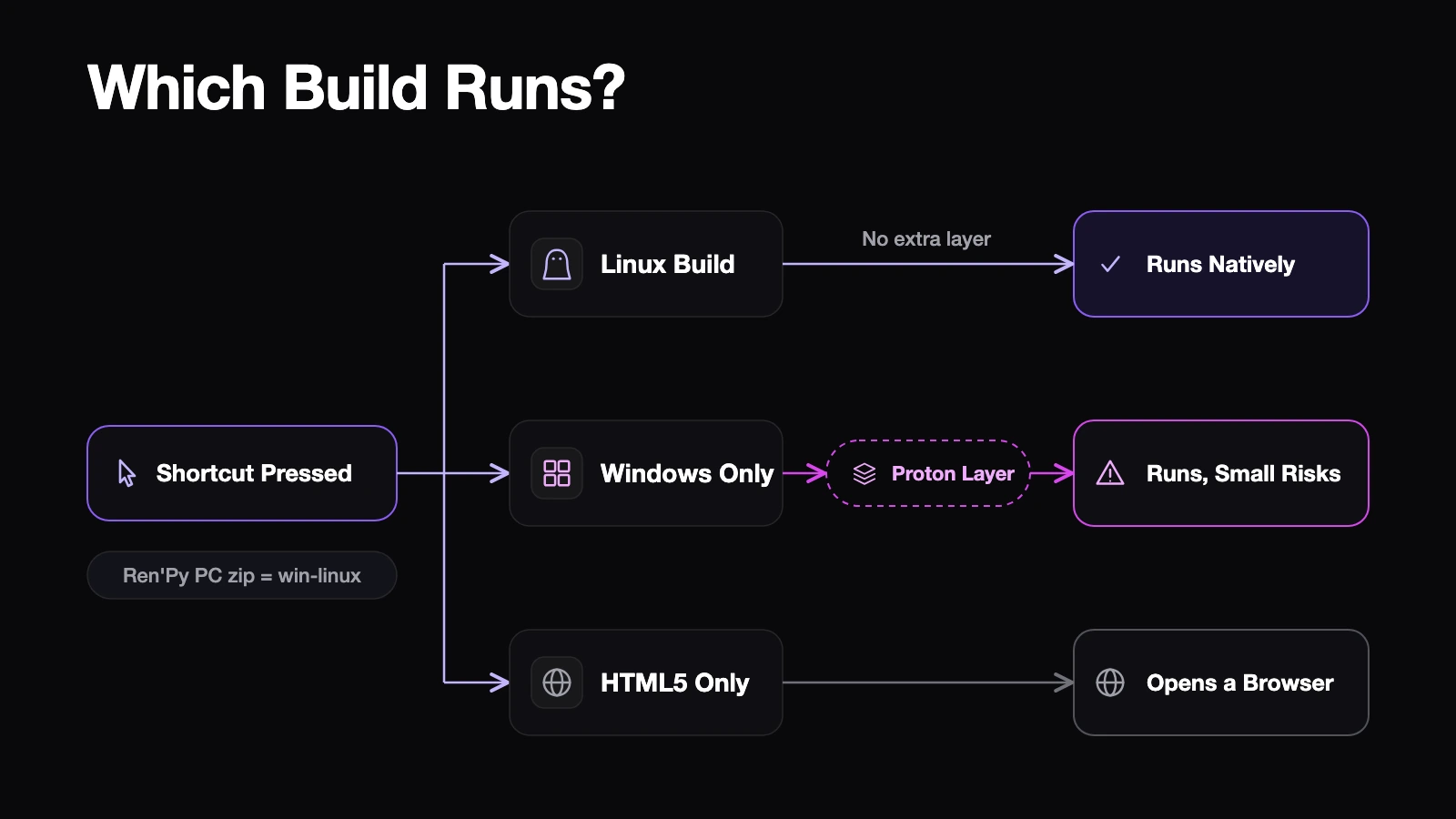
If there is a Linux build, the Deck runs it natively. No translation layer, fewest surprises. If you only uploaded Windows, the game goes through Proton. That is now close to automatic, but Proton is still a layer that imitates Windows, and small differences in input or fonts can surface there. If your visual novel only exists as an HTML5 build, the shortcut does not add much, since the player ends up in a browser anyway.
For Ren'Py projects, shipping Linux costs very little. The Ren'Py build documentation says the default "PC: Windows and Linux" package already contains both, and when you upload from the Ren'Py launcher that package goes to a win-linux channel. If you push with butler yourself, the butler documentation explains that a channel name containing linux is what tags the upload as a Linux executable. My inference: an upload without that tag is unlikely to be picked for Linux by the app, so check the platform boxes on your edit page as well.
Ren'Py's own Steam Deck guide also recommends a Linux build, noting problems seen with Windows builds under Proton. The repository was archived in August 2026 and marks itself as a draft, so treat it as a hint rather than a rule. Nothing in the official docs argues the other way.
What should you test before the next upload?
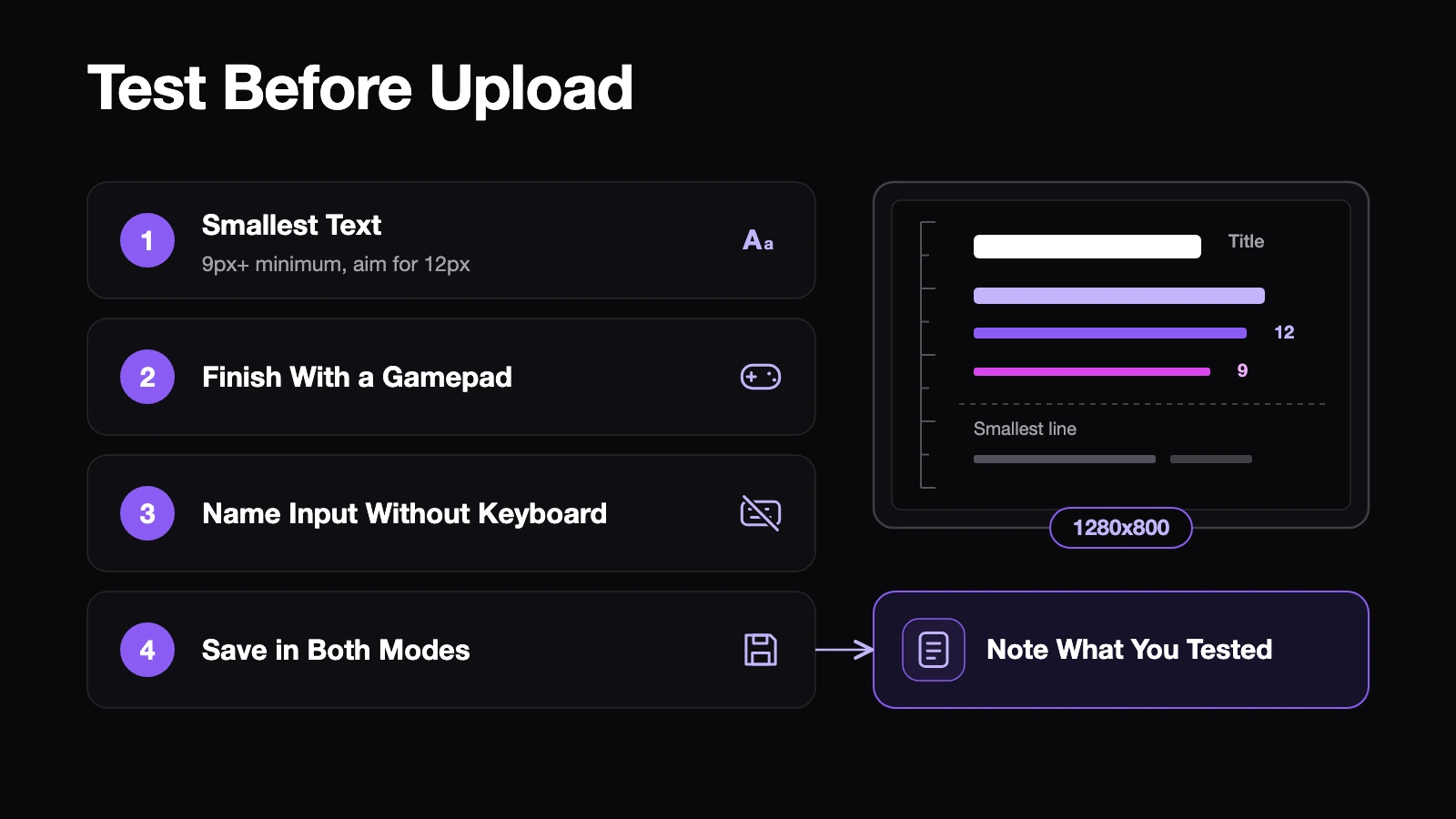
Valve's compatibility review only applies to games sold on Steam, so it does not cover your itch.io copy. The hands and the screen are the same, though, and four of its checks make a good test plan.
- Smallest text at 1280x800. Valve's floor is 9 pixels for the smallest character at that resolution, and it recommends 12. Body dialogue is rarely the problem. Settings descriptions, save slot timestamps and small hints under choices are. Set your window to 1280x800, take a screenshot and zoom in.
- Play to an ending with a gamepad. Ren'Py has supported controllers out of the box since 6.99.6, but custom screens and image buttons sometimes do not receive focus. Go from the title screen to one ending without touching a mouse.
- Name entry without a keyboard. In a GitHub issue, Ren'Py's developer explained that the automatic on-screen keyboard needs a working connection to Steam. My inference is that an itch.io copy, which is not a Steam product, will usually not get that connection. Tell players they can open the keyboard with Steam + X, or prefill a default name so nobody gets stuck.
- Save and load in both launch modes. Create one shortcut with "Launch with itch" and one with "Direct", then confirm saves work in each. If they behave differently, say so on your page.
What is still uncertain?
itch.io describes Steam shortcuts as somewhat experimental, and the October release exists because early testers hit failures on some setups. The Proton default on the Steam side is still a beta. Neither guarantees identical behavior on every device.
That is a good reason to describe what you tested instead of promising support. One line such as "Linux build included; played to an ending with a gamepad in Steam Deck Game Mode" sets expectations better than a badge-style claim.
Have any of your itch.io players mentioned playing on a Steam Deck? And are you uploading a Linux build alongside Windows, or has Windows been enough so far?