Can You Trust the Browser With Your Visual Novel's Save Files?
November 2, 2026
Sooner or later, someone who released a visual novel that runs in the browser gets this message: "I came back to finish the game and my saves are gone." The player didn't do anything unusual. They closed the tab, came back a week later, and the load screen was empty. The creator can't restore the saves either, because those saves never reached the creator's server. They lived only in that one browser.
Whether that's a minor annoyance or a serious problem depends on your visual novel. A twenty-minute story played in one sitting barely notices. A multi-route story that takes eight hours across several evenings can lose a player for good. So the real question isn't how to stop browsers from deleting data. It's how much your particular game should rely on the browser at all.
Here's how to make that call, based on MDN's storage documentation, WebKit's published storage and tracking prevention policies, Chrome's storage partitioning notes, the Ren'Py and SugarCube manuals, and itch.io's HTML5 upload guide.
Where does a browser save actually live?
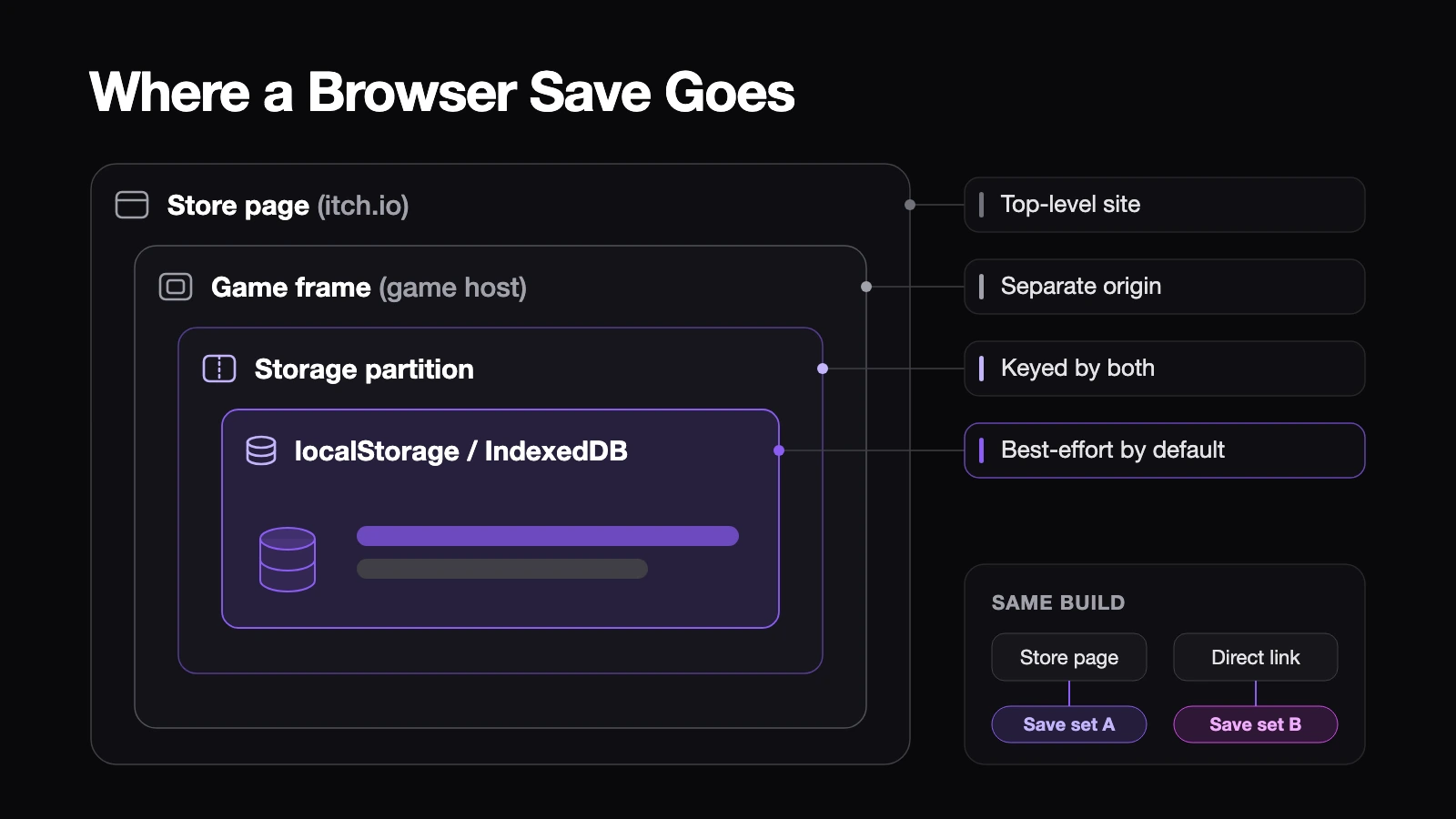
When a web build saves, the engine writes to the browser's own storage, usually localStorage or IndexedDB. MDN explains that browsers keep this data per origin, meaning the scheme, host name and port the game was loaded from. localStorage gets about 5 MiB per origin, and once that fills up, further writes fail with an error.
By default, that data is stored in "best-effort" mode. It stays as long as the origin is under its quota, the device has room and the player doesn't clear it. Nothing is promised beyond that.
Embedding adds another layer. itch.io runs HTML games inside an iframe that points to the uploaded files on its own content server, and the game pages we checked loaded from addresses on html-classic.itch.zone rather than itch.io. Chrome has partitioned storage in third-party frames since version 115, so data is keyed by both the frame's origin and the top-level site. Google's documentation describes exactly this split. One practical consequence: the same build opened from the itch.io page and from a direct link to the game files writes to two different save sets.
What makes saves disappear?
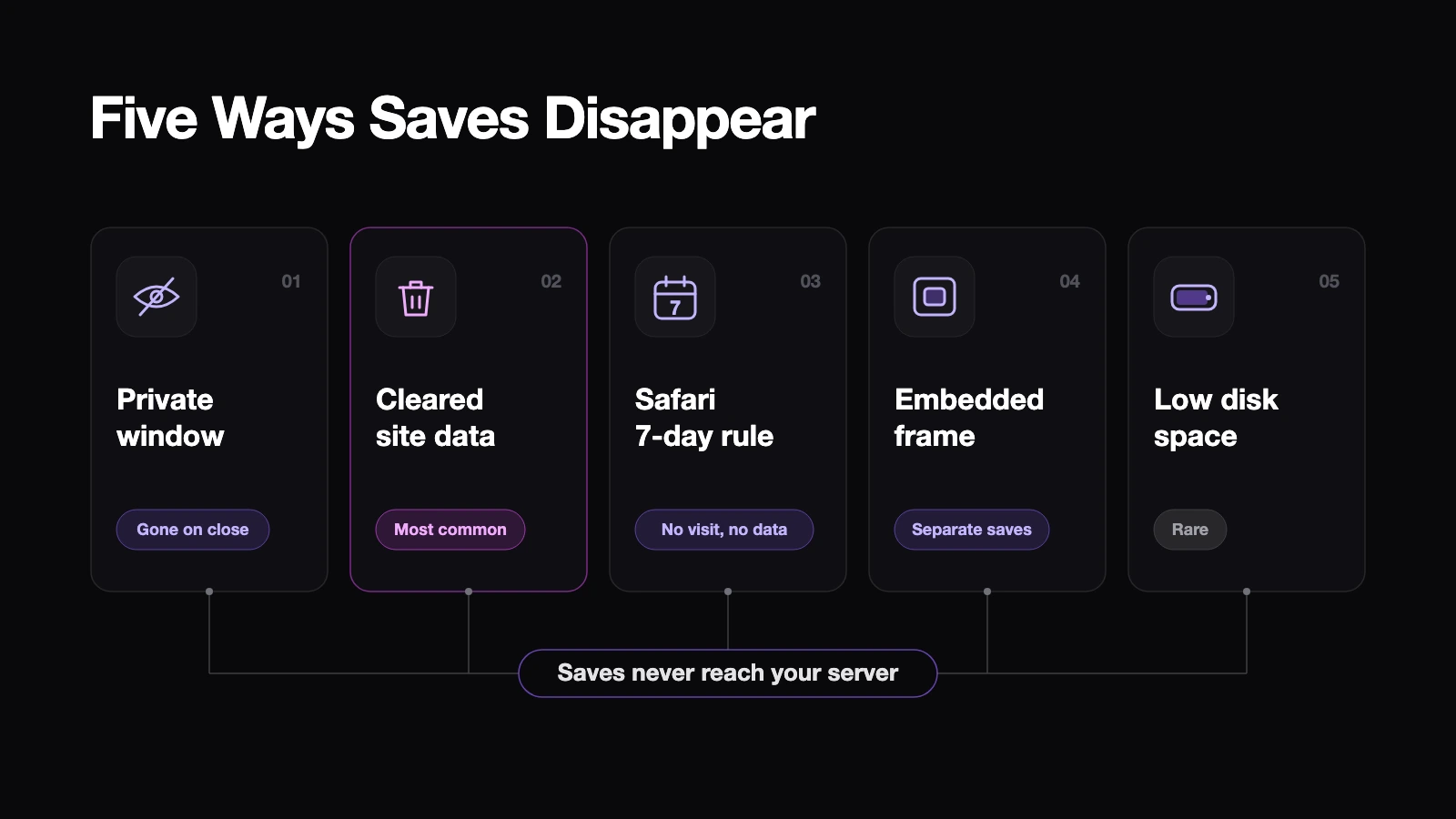
Five things show up again and again.
Private windows. MDN notes that private browsing may apply different quotas and that stored data is usually deleted when the private session ends. SugarCube's documentation is blunter. It warns that browser saves are "largely incompatible with private browsing modes" (SugarCube 2 Save API).
Players clearing site data. According to web.dev, Chrome's research found that browsers rarely clear data on their own, and that people clearing it by hand is far more common. A player who wipes cookies and site data to fix some other website takes your saves with it.
Safari's seven-day rule. WebKit's tracking prevention deletes all script-writable storage, including IndexedDB and localStorage, after seven days of Safari use without the player interacting with the site (WebKit Tracking Prevention). The count is days of Safari use, not calendar days, but a player who takes a two-week break can still come back to nothing. Web apps added to the Home Screen are exempt.
Embedded frames in Safari. The same WebKit page says third-party localStorage and IndexedDB are partitioned per first-party site "and also made ephemeral," which means they don't survive quitting the browser. Because itch.io serves your game from a different domain, a save made in the embedded player on Safari may not outlast a restart. That's our reading of the documented rule, not something we've measured across every Safari version, so treat it as something to test, not something to assume.
Low disk space. When a device runs short of storage, browsers evict best-effort data starting with the least recently used origin, and they remove all of that origin's data at once. It's rare, but on a nearly full phone it happens.
One more quirk is specific to shared hosting. If many games on itch.io load from the same content host, they share one origin, and the 5 MiB localStorage limit and key names are shared too. SugarCube lets you set Config.saves.id, which defaults to a slug of the story name. Giving it a distinctive value costs nothing and avoids two games with similar titles stepping on each other's saves.
So, can you leave saves to the browser?
Start with how long a player stays.
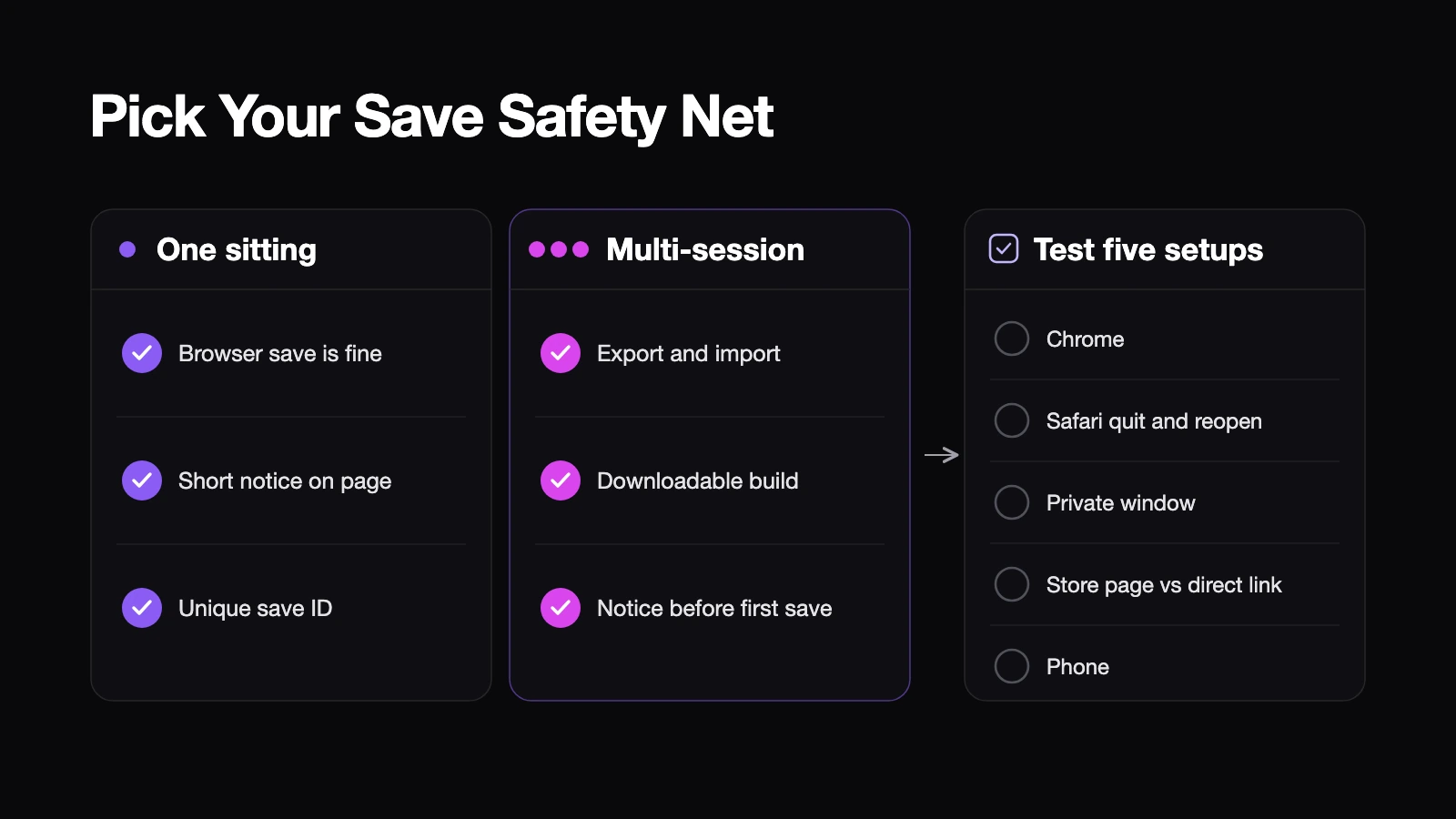
If the story fits in one sitting, browser saves are fine on their own. Add one line to the page, something like "Saves stay in this browser only," and set a unique save ID if your engine supports one.
If the story runs across several sessions, give players a way to keep their own copy. Ren'Py's web build already has one: its web documentation describes a menu in the top left corner with Import saves and Export saves. Export downloads a zip that can be loaded into another browser or even unzipped into the desktop version. SugarCube offers disk saves and save bundles through its Save API. One warning from its documentation is worth passing on: restoring an exported bundle deletes all existing browser saves first, so tell players before they click.
For long games, also offer a downloadable build. itch.io's own guide says very large HTML5 games tend to be a worse experience than the downloadable equivalent, and a desktop build keeps saves in a normal folder that doesn't depend on browser rules.
There's also navigator.storage.persist(), which asks the browser to keep your origin's data out of automatic eviction. It helps a little, but it's no backup. Firefox asks the player, Chrome and Safari decide on their own based on how much the player has used the site, and it doesn't touch private windows or a player clearing data by hand.
How do you test it before release?
Save at a recognizable point, then try to load it in five setups.
- Chrome, normal window: save, close the tab, reopen.
- Safari: save in the embedded player, quit Safari completely, reopen.
- A private window: confirm your notice appears and that nothing pretends to persist.
- The store page versus a direct link to the files: confirm players know these are separate.
- A phone: save, switch apps for a while, come back.
Then export a save and import it into a different browser. If any setup fails, put that result in plain words on the store page. A sentence telling players exactly where saves live costs far less than an apology.
Have your players ever lost browser saves partway through your visual novel? If so, which setup was it, and what did you add afterward?