Creating an Account
Creating an Account
You need an account to use Novelez. Accounts are free to create, and you can start your first project immediately after signing up.
Sign-Up Steps
- Visit the Novelez homepage at https://novelez.com.
- Click the Get Started or Sign Up button in the top right.
- Enter your email and password, or sign up with your Google account for a faster option.
- Once sign-up is complete, the Start screen opens so you can begin your story with a single first line of dialogue. (If you already have a project, you are taken to your dashboard instead.)
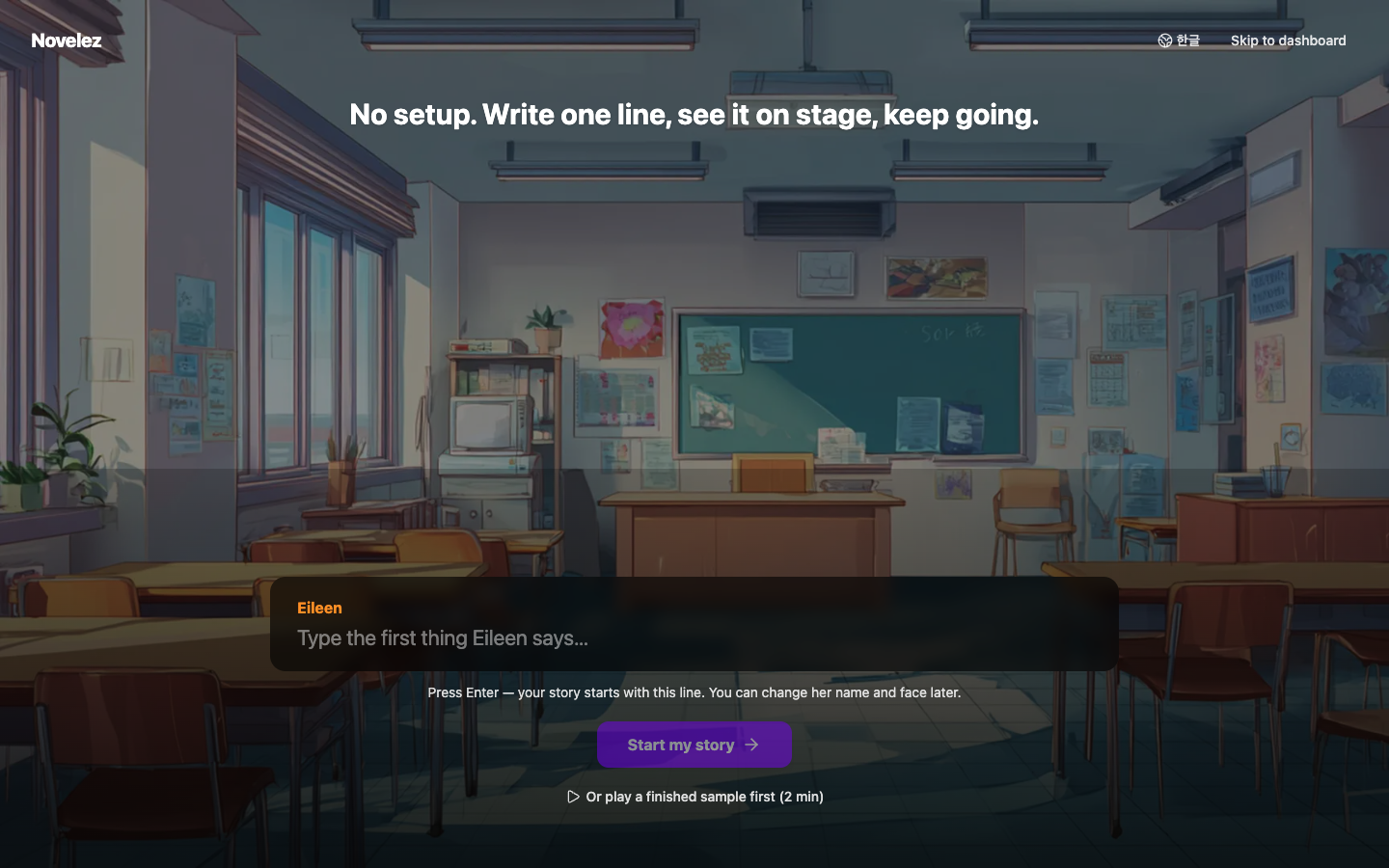
The next page, "Your First Project", walks through the Start screen in detail.
Logging In
If you already have an account, use the Log In button in the top right of the homepage. Logging in restores your existing projects and uploaded assets. The same rule applies after you log in: if you have no projects other than the Tutorial, the Start screen opens; otherwise you land on your dashboard.
Pricing
The Novelez web version is free — there are no plans or payments, and every feature is available. Each account can create 1 project, with 100MB of storage per project (the Tutorial project does not count toward this). Accounts created before October 14, 2026 keep their limit of 5 projects.
Next Steps
With your account ready, it is time to create your first project.